
Higher education marketing departments most of the time face a very specific visual dilemma. We struggle between physical recruitment viewbooks, financial aid packets, and daily social media channels. Alongside this, we also design the digital infrastructure students interact with on a daily basis. A budget-constrained team often faces questions like: Can stock libraries build a complete UI empty state system without looking generic?
When you depend on only one platform to cover both physical print and digital interfaces, it usually leads to compromise. Sometimes detailed graphics fail to translate to mobile app screens. Flat corporate vectors look sterile on a printed glossy viewbook. My department spent the last semester testing Ouch, a vector and 3D asset library by Icons8.
Building an enrollment portal interface needs a massive volume of contextual graphics. Going through a modern student portal means encountering add-to-cart screens for classes, checkout flows for tuition, error messages, and basic login prompts.
Populating these spaces with random visuals develops a disjointed experience. Sourcing matching sets from standard stock sites usually results in a bland aesthetic. Your final product feels completely detached from the university brand.
Volume and style consistency solve that issue.
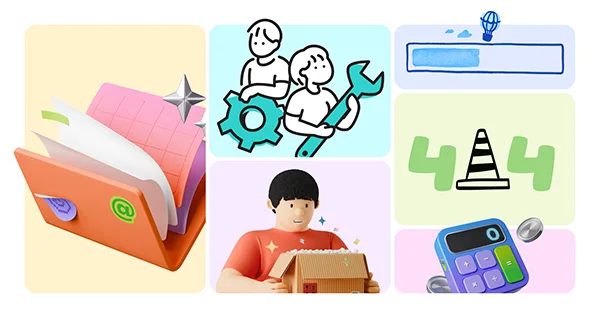
Ouch has thousands of illustrations broken down into more than 101 distinct styles. Minimal monochrome designs sit alongside sketchy, surrealist looks. To create our empty state system, we picked a single bold, line-based style. These layered vector graphics come broken down into tagged objects. You don’t have to settle for pre-made scenes that rarely fit a highly specific academic context.
Using the Mega Creator free online editor, our team customized particular combinations. One 404 error page graphic originally featured a character with a briefcase. Designers swapped that briefcase for a textbook to match the academic setting. Grabbing illustration images strictly from one defined style ensured the app felt bespoke. Discarded corporate assets wouldn’t cut it.
Translating digital assets into physical marketing collateral often breaks most design systems. Small graphics look better on a mobile login screen. Keep them on a full-page printed recruitment brochure, and they lack critical detail.
Here’s our latest workflow. We export the exact same characters and environments used in the student portal, then scale them for print. Upgrading to our current Pro plan provides us with raw SVG formats. Vector files scale graphics for big campus event posters without any pixelation.
For high-resolution print, we open these SVGs in our local design software. Recoloring the illustrations fits our official university CMYK palette. Swapping generic blues for our institutional maroon unifies the visual language. Character art on a physical campus poster matches the artwork prospective students see when developing their online applicant profile.
Working in university communications often means constant, unpredictable requests. Last Thursday afternoon, campus health officials suddenly announced a pop-up flu clinic. Silas, our social media manager, required a promotional Instagram graphic and a printable flyer in thirty minutes.
Browsing through browser tabs wastes precious time. He opened the Pichon desktop app instead. That application houses Ouch illustrations with standard icons and transparent PNG photos. Clicking into the healthcare category, he picked our designated vector style. Our social lead dropped a graphic of a medical professional directly onto his canvas.
Modular vectors make quick work of sudden deadlines. Sudden adjustments to the background elements left plenty of room for typography. Silas pulled out the event details and exported a high-resolution PNG. Branded, professional marketing materials went live before the end of the hour.
Speed changes everything.
Checking Ouch requires looking at established alternatives. Developers frequently start with unDraw. Quick SVG recoloring and completely free use sound great on paper.
Ubiquity is the main problem.
Depending heavily on one primary aesthetic means your higher education app will look identical to thousands of SaaS startup landing pages. Generic aesthetics often fail the brand identity test.
Freepik provides an absolutely massive volume of vectors. Users can find illustrations for almost any highly particular academic scenario imaginable. Lack of cohesive style systems presents a big downside. Building a consistent UX flow for a complete app requires pulling from dozens of different paying artists. You inevitably end up with a patchwork interface.
Humaaans offers excellent modularity for character building. Mix and match hairstyles, clothing, and poses effortlessly. Ouch exceeds those capabilities by providing environments and searchable objects along with the characters. Academic years demand technology graphics, sports elements, and holiday themes. Single libraries focused only on characters can’t supply those diverse elements alone.
No stock library fully replaces a dedicated in-house illustrator. Adaptable scenes work for most common situations. Hyper-specific institutional landmarks need custom drawings. Depicting your historic campus clock tower, a specific bronze mascot statue, or a highly detailed map of the science quad needs commissioning separate artwork.
Licensing builds another distinct boundary. Downloading SVGs and large PNG formats without link attribution works better for UI design and digital marketing campaigns. Printing these graphics on university merchandise to sell in the campus bookstore needs multiple permissions. Standard commercial licenses don’t apply there. Contact their support team directly to negotiate a particular print-on-demand license.
Managing big illustration sets across multiple platforms requires discipline. Few practices make the daily workflow as easy as these main habits.
Standardizing a visual identity across web applications, physical brochures, and social feeds challenges any marketing team. Highly categorized, editable vector libraries fix that fragmentation. Small teams can finally create distinctive digital interfaces that translate perfectly into printed campaigns.
Ans: Some of the good templates for a brochure for college events can be found on Canva, Adobe Express, and Pinterest.
Ans: The five parts of a brochure are the front cover, headlines and subheadings, body copy, visuals, call to action, and contact details.
Ans: Bi-fold and tri-fold are the two most common types of brochures.
