
Nowadays, short videos are gaining popularity on the internet. Every social platform, such as TikTok, Reels, and YouTube Shorts, is now full of quick clips that grab attention in seconds. But making these short videos is not that easy; it takes time. But the AI short video generator solves this problem.
You can just type an idea or a script, and the AI creates a video for you. It not only creates the visuals but also adds voiceover and even writes captions. No filming. No editing software. This guide explains how to use an AI short video generator for social media content and what features to look for.
Before jumping in, it helps to understand what these tools really offer. Most AI short video generators share these main features.
This is the heart of the tool. You type your idea, a script, or even just a few sentences, and the AI makes it into a video. It chooses visuals, adds movement, and builds scenes automatically, saving you hours of manual work.
You don’t need stock footage or your own camera. The AI makes scenes, characters, and backgrounds based on your text. Good tools keep these visuals consistent, so characters and settings don’t just change from scene to scene.
A short video requires sound and text to keep viewers engaged. AI tools generate natural-sounding voiceovers and add captions automatically. This makes videos easy to follow, even with the sound off, which is really important a lot on social media.
Templates make everything quickly. Whether you’re making a story, a product clip, or a trend-based video, templates give you a ready-made structure. You just plug in your content and let the AI manage the pacing.
Every platform needs a different video shape. TikTok and Reels want vertical video. YouTube wants horizontal or Shorts-style verticals. Good AI tools allow you to export in multiple ratios without resizing everything by hand.
Creating a short video with AI is simple once you know the steps. Here’s how it works.
Start by heading to the MagicLight.ai website and picking New Video for Free. You’ll find several video formats to pick from, covering Story to Video, Kids Story Video, Interview Video, and Short Drama Video. Once you settle on the format that fits your idea, type in your prompt and select the language for your video.
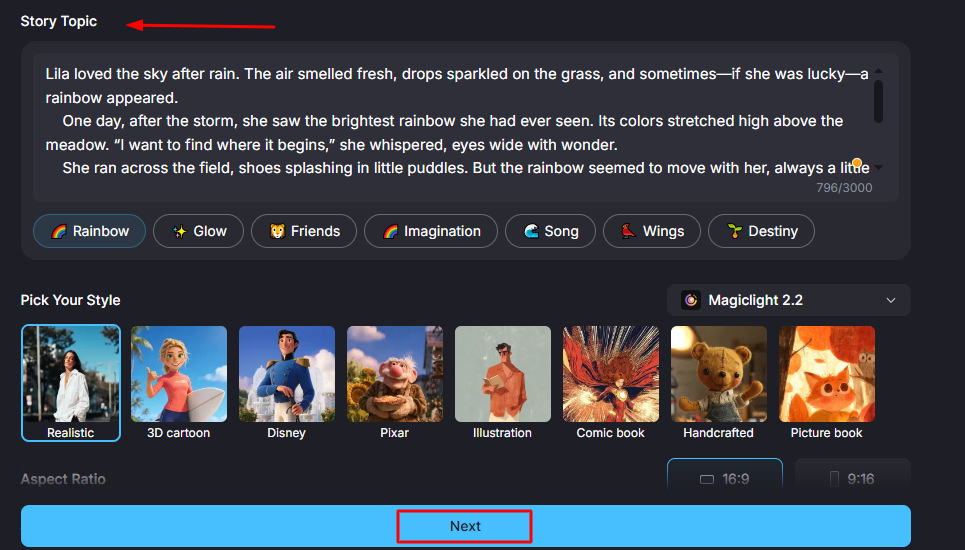
Next, choose an AI avatar and shape how it looks. From there, choose a voice that fits the tone of your video. The platform provides a range of free avatars and voice options to pick from, so you can find a combination that suits your content.
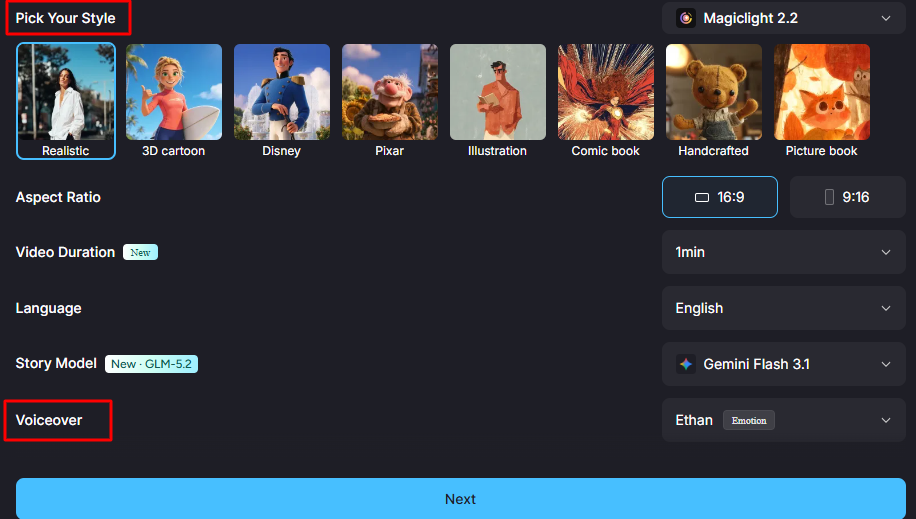
Fine-tune the details of your video, covering the aspect ratio, size, length, quality, background, color scheme, logo, and overall look. Decide between a vertical or horizontal layout, and tweak the settings until they match exactly what you want.
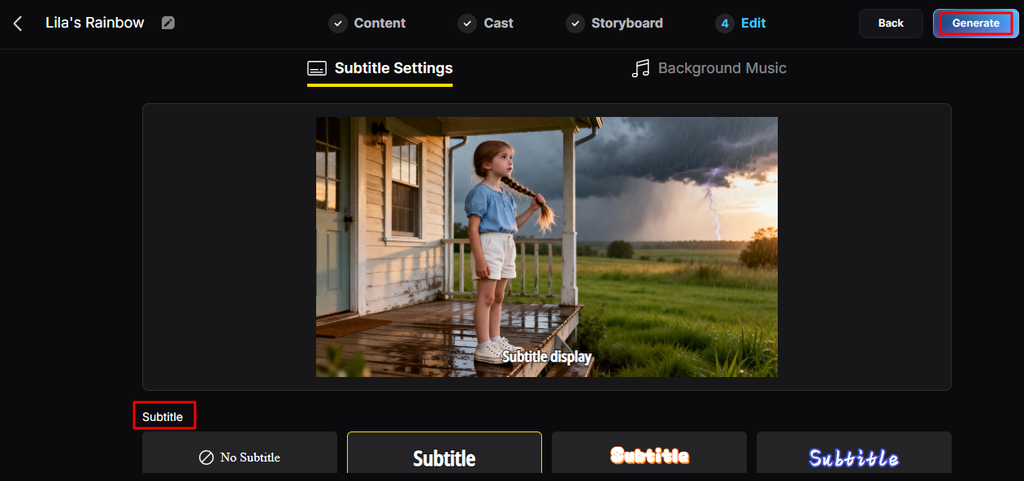
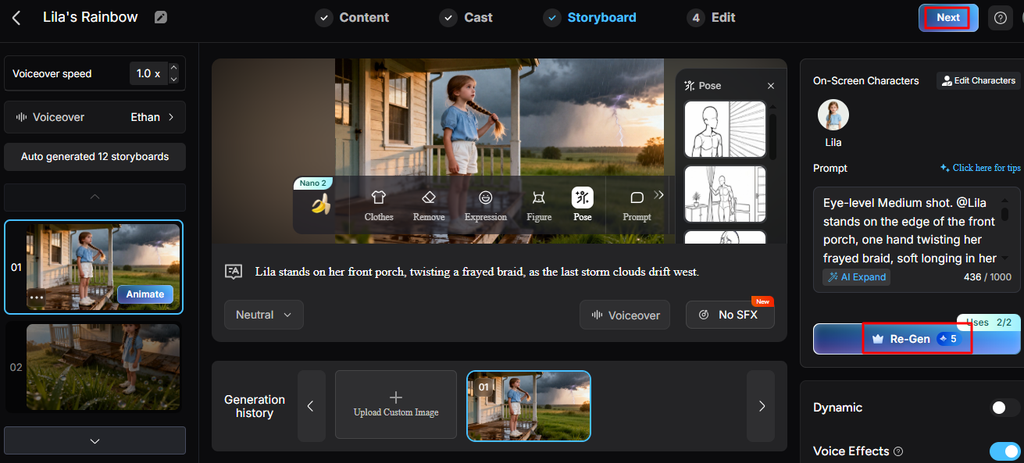
Hit Generate to produce your video, but hold off on approving it right away. Watch the preview first and look properly for any errors. If the result isn’t quite right, you can try a different version using the same prompt, or make adjustments before moving ahead.
Once the video looks the way you want, make the final version and set your preferred quality, size, and ratio. From here, you can also fine-tune subtitles and adjust timing. When it’s ready, share it straight to apps like YouTube and TikTok.
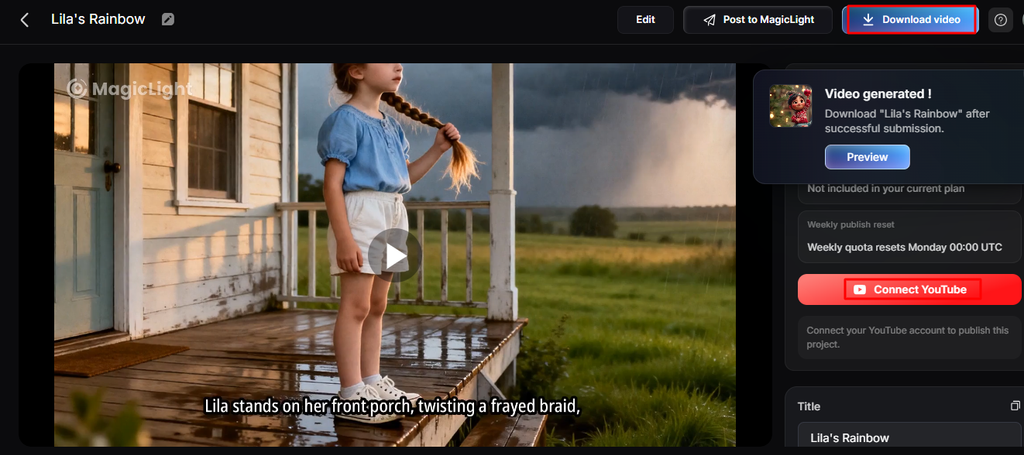
The AI short video generator isn’t just for fun. Creators and businesses use them in actual, everyday content strategies. Here are the most common uses.
TikTok and Instagram Reels are made for fast, engaging content that captures attention quickly. AI tools make it easier to make a variety of content types such as tips, mini stories, product showcases, and educational clips.
YouTube Shorts offer another opportunity for short-form content distribution. AI can help transform ideas into quick educational or entertaining videos that suit the platform’s format. Long-form videos can also be repurposed into various Shorts by extracting key points.
Short videos are really effective for product marketing because they can highlight key features quickly. Rather than long advertisements, multiple short clips can be created to focus on different aspects of a product. AI makes it simpler to produce these variations quickly and efficiently.
AI-generated short videos are also helpful for educational content because they simplify complex topics into small, digestible lessons. Each video should focus on one particular idea to make sure clarity and retention. This format works well for tutorials, quick tips, and step-by-step guides.
Trends play a big role in short video visibility, and AI helps creators respond quickly by reducing production time. This lets multiple versions of trend-based content be tested efficiently. It is important to select trends that align with the intended message and audience.
Not every AI tool works the same way. Here’s what to check before choosing one.
High-quality visuals are important for maintaining viewer attention in short videos. AI-generated content should appear clear, consistent, and visually appealing across all scenes. If the platform uses AI characters or animations, they should look natural and match the tone of the content.
A good AI video tool should allow complete customization of scripts, visuals, voiceovers, and captions. This flexibility makes sure that creators can refine content according to their needs. All-in-one platforms are particularly useful because they combine generation and editing in a single workflow, reducing the need for various tools.
Speed is important for creators who publish often or test multiple content ideas. Faster generation allows more experimentation and fast content cycles. However, speed should not compromise quality.
Multi-format support is important for creators who publish across different platforms. Vertical, horizontal, and square formats let content be adapted for various audiences. This flexibility ensures that one video idea can be reused across various channels without additional production effort.
For business use, understanding licensing and commercial rights is crucial. Different platforms have different rules regarding AI-generated content, including voice, music, and visuals. Reviewing these terms before publishing makes sure that content can be used safely for marketing and commercial purposes without legal issues.
AI short video generators make it easy to convert any idea into a finished video. You don’t need a camera, editing skills, or hours of free time. AI video generators make it simpler to turn ideas into engaging short-form content. Just type your idea, choose a style, and let the AI manage the rest. This makes it a practical solution for creators, marketers, and businesses aiming to publish consistently.
Ans: Yes. AI short video generators are built for exactly this. You type a script or idea, and the tool creates a full video with visuals, voice, and captions, ready to post on TikTok, Reels, or YouTube Shorts.
Ans: It usually takes just a few minutes. Once you enter your script and pick a style, the AI generates the video automatically. This is much faster than filming and editing a video by hand, which can take hours or even days.
Ans:The best tool depends on what you need. Some platforms only make quick, simple clips, while others, like MagicLight.AI, offer full workflows with consistent characters, multiple styles, and tools for voice, captions, and editing all in one place.
