When it comes to the product team, they waste a short period of focused work when the first version runs on a poor setup. In this case, the buttons get shipped, but the letters don’t. An AI API desk is useful here if Fast, Quality, and Lite sit on one selection menu, and if the still is locked before anyone reads the credit table.
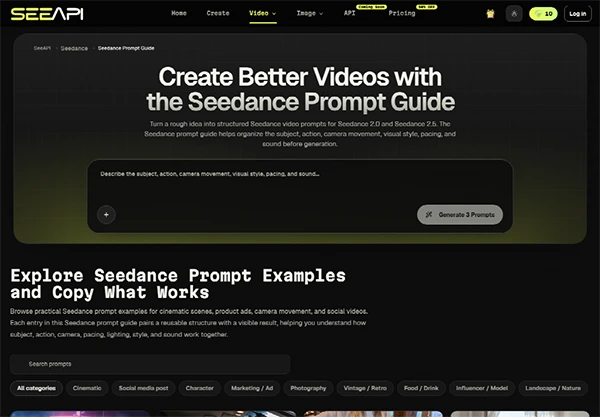
A product engineer adding a video feature does not need another vendor debate. They need a tier that matches the job. SeeAPI puts those three options on one workspace, so a cheap reject can happen before the ticket asks for a prettier fail.
The clip looks fine in the player. The hero mark holds in the first second. Freeze the frame where the logotype is largest. The letters are soft. A cousin logo has arrived. The file is discarded. That reject is normal. What is not normal is that the take ran Quality, so the morning of credits is already gone.
Sprint week makes this worse because the ticket says ship a demo. Someone picks the costly line because the deck said cinematic. The still was never cropped. The generator invents a mark. The ticket then slips a day while someone argues about loyalty that was never in the photo.
A soft glow on the product can pass. A second logo cannot. If a colleague cannot read the same wordmark next to the original still, the file is discarded. Do not argue about loyalty after that check.
SaaS tickets also hide the cost in story points. A one-point demo that burned a morning of Quality is not a one-point demo. The picker is there so the cheap look happens first. If the mark fails on Fast, the ticket should say crop the still, not raise the tier.
Fast is the cheap look. Quality is the pass you keep after the mark holds. Lite is the low-cost sketch when you only need to see whether a slow push-in respects the type. Those three jobs are the selector. They are not a personality test.
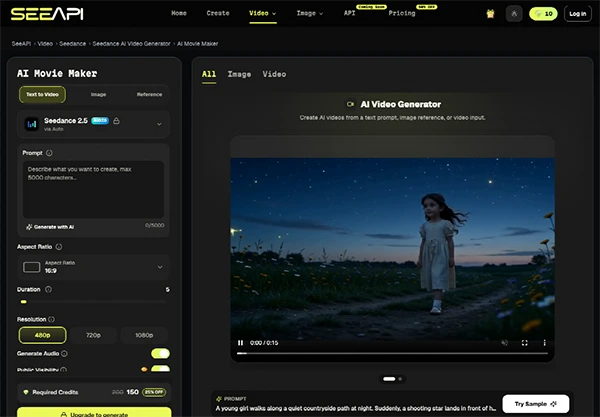
SeeAPI shows the selector before the prompt. Use it in that order. Running Quality on a tilted screenshot is how a sprint burns credits on a heading that was already dead anyways.
| Tier | Use it when | Kill it when |
| Fast | The first look, or a cheap reject against the still | The mark already failed, and someone wants a prettier fail |
| Quality | The still is locked, and the clip will ship | The photo is crooked, or the type is already soft |
| Lite | A low-cost sketch of camera path only | The ticket treats the sketch as the demo |
Read the table as a gate. If the still is soft, stay on Fast or do not generate. Quality will not rescue pixels that were never there.
Crop to the logotype. Write the name as it is printed. Ask for a short move. Do not ask the model to improve the logo. Improve is how a cousin mark arrives. If the screenshot is squeezed, recapture it. A soft mark gets softer in motion.
Do not start from text alone when the product shot already exists. A prompt that says smooth app hero will invent a mark that is not in the repo. The repo still is the source. The generator is the move around that source. Invert those roles, and you are designing a second brand.
Name the reject after the reason: wordmark-unreadable, not demo_v8. Another engineer should know why the pretty loop never left the ticket.
On the API table, Seedance 2.5 at 480p is about 34 credits per second. At 720p it is about 74. At 1080p, it is about 185. Start and end frames use the same three lines. A five-second 480p take is then about 170 credits if you stay on that 34 line. A five-second 1080p take is about 925. That gap is why Fast exists, and why a team should not jump to the conclusion to hide a bad still.
2.0 at 480p is about 20 credits per second. Fast is about 16. Mini is about 10. Those cheaper lines are the live ones for a demo this week. 2.5 is still a preview on the desk. Do not promise a live 2.5; the page cannot run.
Start and end frame are the same three rates as text-to-video. They help when you already have a first and last still. They do not help when those stills already disagree with the wordmark. Lock the frames first. Then pay per second. Invert that order and the 185 line at 1080p is just a faster way to empty the sprint budget.
A reference video at 480p for five seconds sits near 20 credits per second, cheaper than the no-reference 34 line. That is the useful discount. It only holds if the reference already has the motion you want and the still already has the mark. A cheap reference of a random camera will copy a random camera and still melt the logo.
Use a reference when the path is known. Use Fast without a reference when you only need to see whether the mark survives a simple push-in. Do not buy 1080p to discover that the wordmark was already dead.
The picker will not read your ticket. It will not catch a brand mark that legal has not approved. If the still is already wrong, every tier is wrong. A person still has to break on the largest logo. SeeAPI cannot repair type that was never sharp.
The demo page will add a caption and a waitlist button. Neither repairs a melted mark. If the logo already failed on the desk, the button will not save it. Hold the still beside the export. If the heading moved, kill the take before anyone records the GIF.

Seedance API is the Seedance workspace on this desk. The live check is still Fast or Quality against the printed mark. SeeAPI keeps that check in one history, so the reject does not live in a Slack thread that nobody searches after the sprint.
Ship the demo only when the on-screen mark matches the still legal already approved, and when the tier matches the job. SeeAPI helps if both checks happen before the ticket closes. A warmer grade does not save a cousin logo, and a higher resolution does not save a crooked crop.
Lock the still today. Write the reject. Pick Fast first. Keep Quality for the pass that already held. Product teams came to ship a feature, not to guess which logo is real. A cheap reject on Fast this morning beats a pretty fail that ate the whole sprint budget later. Keep the expensive line for the take that already held.
The choice between speed and quality with the Cedarance API depends completely on what is the product’s requirements and how a fast response can help your team move quickly, test different ideas, and improve the overall experience. But higher quality might be important for complex and accuracy-focused tasks.
The right balance that you are looking for will always come from testing both the options and choosing the particular setup that gives you a reliable result and also doesn’t impact or slow down your development.
Ans: The major difference between the modes is that fast mode focuses on quick response, while the quality mode is more focused on providing you with accuracy, details, and handling complex tasks.
Ans: Yes, there can be a few trade-offs when doing the task in fast mode. It may provide you with quicker results, but it also requires deeper processing and a more detailed response.
Ans: When the team wants to do and maintain a complex workflow, detailed analysis, or when they need detailed analysis, they can use the quality mode.
Ans: No, not necessarily. Speed might be very important when using many features, but using the quality mode is a better option when the user needs an accurate and reliable result.