Why Content Creators Are Switching to Nano Banana Pro for AI Image Generation in 2026

|Updated at April 24, 2026
AI Image Tool

“Design is intelligence made visible.” — Alina Wheeler (Designer)

You spend time crafting the perfect prompt. The AI delivers a stunning image… until you notice the text. A misspelled headline. Garbled characters. Labels that look like alien code.

That might be a small flaw for casual users, but for creators relying on visuals to communicate clearly, it’s a dealbreaker.

This is the everyday friction with most AI image tools. They excel at visuals, but stumble where clarity matters most: readable, accurate text, especially across languages. In 2026, Nano Banana Pro on SuperMaker is changing that equation, and creators are taking notice.

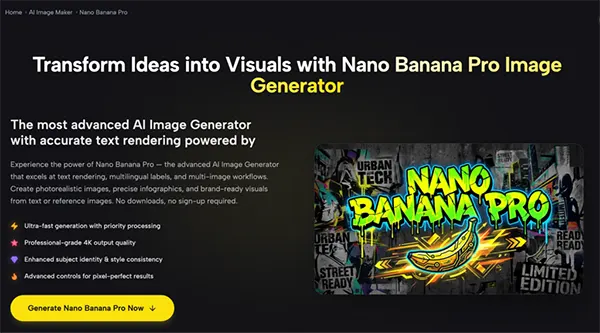
In this article, I’ll answer why creators in 2026 are switching to Nano Banana Pro for AI image generation. The following sections list its features, such as accurate text rendering, consistent visuals, multiple formats, and zero setup.

KEY TAKEAWAYS

  • Accurate in-image text is the biggest gap in AI visuals, and Nano Banana Pro directly fixes it.
  • Multi-image references make brand consistency practical, not manual.
  • Built-in aspect ratios remove the need for resizing workflows.
  • Browser-based access keeps the process fast and distraction-free.

The Core Problem With AI Image Tools for Content Creators

Before diving into the solution, it helps to zoom in on what actually slows creators down:

  1. Text inside images is unreliable. For creators making social posts, cover images, infographics, posters, or carousel slides, readable text isn’t optional — it’s the whole point. When AI-generated text is broken, the image is unusable.
  2. Style consistency across a series is hard to maintain. A single great image isn’t enough. Content creators need 9-square grids, campaign sets, thumbnail series, and brand packs that look like they belong together. Most tools require starting from scratch for every image.
  3. Platform format requirements vary wildly. A TikTok vertical, an Instagram square, a YouTube thumbnail, and a LinkedIn banner all need different dimensions. Generating each format separately from the same idea is time-consuming and inconsistent.
  4. The tools that work best have the highest friction. The most powerful AI image tools often require software installation, technical configuration, subscriptions, or significant learning investment — all of which eat into the time creators are trying to save.

Nano Banana Pro was built around solving all four of these problems simultaneously.

What Makes Nano Banana Pro Different for Content Creators

Let’s run down the features that make this tool stand out in the sea of visual generators.

Accurate Text Rendering — Including Asian Languages

This is the headline capability, and it’s genuinely differentiated.

Nano Banana Pro is specifically optimized for accurate in-image text rendering, with particular strength in Asian language scripts — Chinese, Japanese, and Korean — where most AI image tools produce unusable results. For creators working in these languages or producing multilingual content for global audiences, this is a practical capability that directly affects whether a generated image is actually publishable.

In concrete terms, this means:

  • Poster headlines and overlay text come out correctly spelled and properly typeset.
  • Chinese, Japanese, or Korean labels in infographics are legible and accurate.
  • Chart annotations, diagram labels, and data visualizations render cleanly.
  • Bilingual layouts maintain correct character rendering across both languages.

For a creator whose entire content strategy relies on visually polished text-on-image graphics — cover images, quote cards, step-by-step carousels, promotional posters — this single capability changes what’s possible with an AI tool.

Up to 4 Reference Images Per Prompt

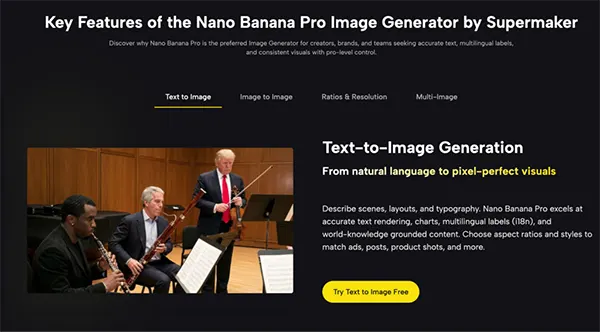
Maintaining visual consistency across a content series has historically been one of the hardest problems in AI image generation. Nano Banana Pro addresses this directly with multi-image reference input: you can provide up to 4 reference images in a single prompt to guide the model’s output.

In practice, this means:

  • Upload your brand color palette, a previous image from the series, and a product shot — the model uses all three to generate a new image that fits your established visual identity.
  • Keep a recurring character, product, or subject visually consistent across a full series without manual editing.
  • Blend multiple compositional references to steer layout, structure, and style simultaneously.

For creators building a recognizable visual brand on social platforms, this kind of reference-driven consistency is the difference between a professional-looking feed and a random collection of AI images.

SURPRISING STAT

Nano Banana Pro maintain 95% character identity across different angles and shots for consistent storytelling.

10 Aspect Ratios, Native 2K Output, 4K Upscale

Content creators work across platforms that each demand different image dimensions. This tool supports 10 aspect ratios — 16:9, 5:4, 4:3, 3:2, 1:1, 2:3, 3:4, 4:5, 9:16, and 21:9 — covering every major format without requiring any post-generation cropping or reformatting.

Paired with native 2K output and a 4K upscale pipeline, this means:

  • Generate your YouTube thumbnail (16:9), Instagram post (1:1), and TikTok cover (9:16) for the same piece of content — in the same session, with consistent styling.
  • Output at 4K for high-DPI screens, large-format printing, or broadcast-quality visuals.
  • Skip the resize-and-reexport cycle that eats up production time.

You select the aspect ratio before generating — not after — which means the composition is built for the target format from the start.

No Sign-Up, No Download, No Friction

The last thing a busy content creator needs is another tool with a lengthy onboarding process. This browser-based AI tool runs entirely online — no software installation, no account creation, no subscription required to start generating.

Open the page, type your prompt, and generate. The barrier between a creative idea and a finished image is as low as it gets.
AI Image Tool Features

Real Content Creation Scenarios

Nano Banana Pro makes it extremely easy to go through common content creation workflows:

  • Building a 9-grid Instagram series: Upload a brand reference image, describe the visual style, and generate 9 images with consistent color and layout. Accurate text ensures your overlay captions and hashtag graphics look polished in every frame.
  • Creating multilingual promotional posters: Describe a poster layout with both English and Chinese text. This tool renders both languages accurately in a single generation — no separate Photoshop text layer required.
  • Producing YouTube thumbnails at scale: Set the aspect ratio to 16:9, describe your thumbnail concept with bold headline text, and generate 4 variations per run. Pick the strongest one, download at 4K, and publish.
  • Adapting a hero image for multiple platforms: Start with a landscape hero image, then switch aspect ratios to generate square and vertical versions of the same scene. Multi-image reference ensures the subject and style stay consistent across all three formats.
  • Generating educational infographics: Describe a step-by-step diagram with labeled stages and data annotations. Nano Banana Pro’s chart and infographic generation produces clean, readable visuals where text elements are accurate and legible — no post-editing required.

Conclusion

Nano Banana Pro isn’t just another AI image tool chasing visual quality. It solves the part creators actually struggle with: generating publishable visuals without extra editing or setup. With accurate text rendering, multi-image references, multiple aspect ratios, and four variations per run, it helps users create branded, high-quality images more efficiently. Try Nano Banana Pro free, no account required.

FAQs

Its biggest advantage is reliable text rendering inside images, combined with consistency controls and multi-format generation in one workflow.

Yes. It supports multilingual layouts, including complex scripts like Chinese, Japanese, and Korean, with high accuracy.

Not really. The tool is prompt-based and designed for quick generation without advanced editing or setup.

Yes. With 2K native output, 4K upscaling, and consistent branding support, it’s built for publish-ready visuals across platforms.


Related Posts

×