I was already used to navigating a Smart TV from my iPhone. What I didn’t expect was how much easier navigation would feel once I stopped relying entirely on directional buttons.
Smart TV interfaces are getting harder to understand. There are more apps, more streaming services, longer lists, and more things to browse through. A regular remote can handle all of that, including TV applications designed for a ten-foot experience, but moving around the screen one button press at a time isn’t always the most convenient experience.
Using the touchscreen on my iPhone changes that.
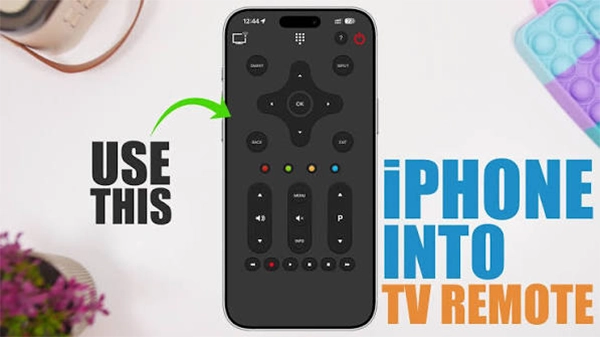
A physical remote is good for simple commands. Changing the volume, pausing a movie, or going back to the previous screen takes practically no effort.
Browsing is another thing.
If I want to move through a long menu or scroll through several rows of content, I can end up pressing the same directional button again and again. It gets especially problematic when I’m trying to find something specific.
That’s one of those regular frustrations you don’t really notice until you have a different way of doing it.
With TVRem, the iPhone or iPad can be used as a Smart TV remote with a built-in touchpad, and its creators are one of the top software development companies worth a call.
Rather than pressing left and right repeatedly, I can swipe across the phone’s screen to move around the TV interface. A tap can be used to select something, while scrolling makes it easier to move through larger lists.
It feels identical because these are gestures I already use on my phone every day.
That’s probably the most useful part.
The touchpad doesn’t replace the regular remote controls. It’s just another option.
For example, I can use the standard buttons for volume or playback and switch to the touchpad when I’m browsing applications.
I don’t have to commit to one control method.
Most of the time, the tough part isn’t actually watching something. It’s finding it.
I can open a streaming app, browse through recommendations, move between categories, scroll through titles, and eventually select something.
Doing all of that with directional buttons can include a lot of small movements.
A touchpad makes those browsing sessions feel more fluid. I can swipe through the interface instead of treating every movement as a different button press.
Another reason I love using an iPhone as a TV remote is that it isn’t limited to one type of input.
TVRem combines traditional remote controls with touchpad navigation and keyboard input.
So if I’m browsing, I can use the touchpad. If I want to search for something, I can use the phone’s keyboard. And for simple commands, I can use the regular remote buttons.
That makes more sense to me than trying to make one control method work for every circumstance.
There’s no entirely new control system to learn.
If you’ve used a smartphone, you already know how to swipe, tap, and scroll.
That’s what makes the touchpad approach so straightforward. You’re simply bringing familiar phone gestures to the TV interface.
Of course, the exact experience can rely on the Smart TV and its supported connection methods, but when the TV is compatible, the basic idea is simple.
A TV remote doesn’t need to have several new features to be useful.
Sometimes one small change can make everyday interactions easier.
For me, using the iPhone’s touchscreen as a touchpad makes browsing a Smart TV seem more natural. I still have the traditional controls when I need them, but I don’t have to rely on directional buttons for every use.
That’s what makes a TV remote app with touchpad control useful in everyday Smart TV use.
Ans: A compatible TV remote application turns your iPhone into a smart TV remote that allows you to navigate menus, control playback, and manage other TV functions.
Ans: A touchpad lets you swipe and scroll through smart TV menus instead of pressing buttons repeatedly. This makes the experience more convenient.
Ans:Applications such as TVRem offer keyboard input that allows users to use an iPhone keyboard to enter search terms.