
One day, I watched a florist lose almost $340 from a phone order last spring because her card reader was in the van, she was at the counter, and the customer on the line had no patience for a walk to the parking lot. This explains a lot of problems; for example, you can accept card payments without a piece of hardware in your hand, and I would argue most small operators wait far too long to set this up.
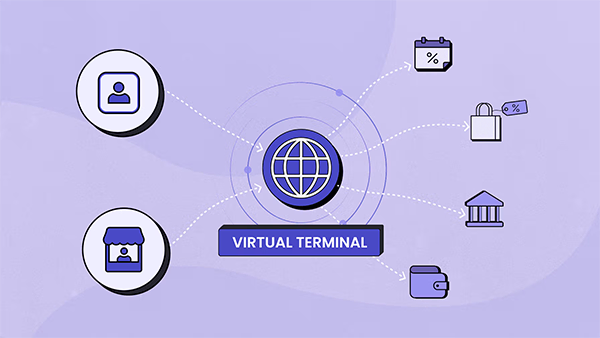
A virtual terminal helps there; it’s a payment screen that lives in your web browser. If you already run a virtual terminal through your provider, you likely have one inside your existing dashboard without realizing it.
Forget the marketing, and it’s a keyed card entry form with a payment processor attached. You enter the card number, expiration, and billing ZIP. The processor authorizes the transaction, and the money lands in your account on the given settlement timeline.
Where it earns its keep is in the gaps your reader can’t match. Phone orders, mail-in forms, invoices paid by clients who don’t want to use a portal, and in-person moments when the terminal is across the room. I’ve seen contractors take deposits from a job site laptop, and I’ve seen a two-person print shop operate its complete invoice cycle from one browser window.
One tradeoff needs a straight answer: keyed transactions typically cost more than swiped or tapped ones because the card isn’t physically present and fraud risk increases. That’s an industry-wide pricing pattern, not a knock on any single vendor. If you want to key in hundreds of payments a month, read your rate sheet carefully before you think browser entry is the cheap option.
Here are three questions you should ask before you pick a provider:
Every small business that needs card data lives under a rulebook called PCI DSS, maintained by the major card networks. The good news is that a reputable terminal manages most of the heavy lifting, because the card details flow through their compliant systems instead of sitting in a spreadsheet on your laptop. The bad news is that you can undo all of it by writing card numbers on a sticky note or emailing them to a supplier.
Verify your provider’s listing with the PCI Security Standards Council, and never store full card numbers in your own files. That easy habit prevents the kind of breach that shuts a small operation down for good.
It’s also worth reading the Federal Trade Commission‘s guidance on protecting personal information, since card data counts as exactly that. Short version: collect only what you want, and lock down wherever it lives.
Some checklist you can run:
Run that list, and you’ll be live in an afternoon. Ignore steps two and four, and you’ll learn about them the hard way. I’d take the extra twenty minutes.
Treat the browser terminal as one room in a house, not the full house. If you sell in person, a physical reader still wins on rate and speed. If you sell online, a hosted checkout page is the correct tool. The terminal covers the awkward middle, which happens to be where a lot of small businesses really live.
Worth considering that the Bureau of Labor Statistics tracks a retail and service landscape where small firms make up a substantial share of employers. That’s a lot of businesses running payments out of a laptop and a phone, and a lot of them would benefit from consolidating onto one platform rather than stitching together four tools.
I call it the three-channel test, and it takes about ten minutes. Note every way your customers currently pay you on paper. Now categorize each one into three buckets: in person, online checkout, and everything else. If the third bucket has more than a couple of entries, you want a keyed payment option. If it’s empty, you probably don’t.
When I ran this test for a small landscaping client, the third bucket kept six items: deposits, monthly maintenance invoices, a vendor who paid by phone, two commercial accounts that mailed verification, and a recurring charge the owner had been manually processing for years. Six entries. The browser terminal ate all of them, and the owner stopped driving to the bank.
My honest opinion: if you already have a payment provider, verify whether a terminal is included before you shop around. Switching processors to gain a feature you already paid for is a bad trade. If you’re beginning from zero, prioritize the dashboard you’ll actually open every morning over the one with the longest feature list. You’ll use three features daily and ignore the rest, and the tool you log into without dread will win every time.
Test it for a month with actual transactions before you move your whole operation over. Payments are the last place you want a surprise.
What’s really stopping you? Usually it’s not the software. It’s a stack of invoices you’ve been meaning to send and a vague confusion that the fees will eat your margin. Both are solvable in an afternoon with a rate sheet and a browser tab. Set up the terminal, run a one-dollar test, and take that first phone order while the customer is still on the line. Your future self, the one who isn’t chasing payments from the van, will thank you.
Ans: An example of a virtual terminal is the Square virtual terminal.
Ans: The best payment terminals for small businesses are the Square terminal and Clever Flex.
Ans: Digital wallets are the safest method of payment.
