
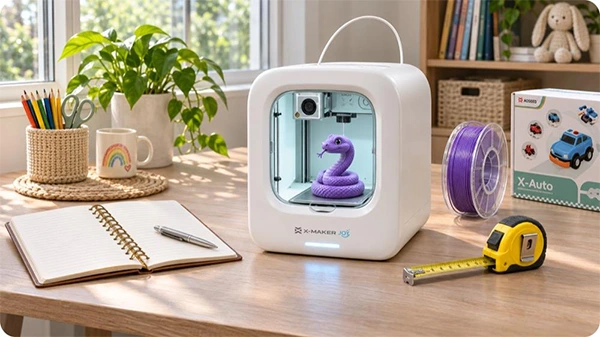
The printer your child may require can be pictured next to a large dinosaur soft toy. Before you draw any conclusions from that imagination, ask how big a piece can it be.
Have them draw what they imagine, along with the width and length. If you’re comparing the best 3D printer for kids, keep that paper around when you visit the manufacturer’s site.
Here’s what parents should check before buying a kids 3D printer and how you can easily plan for it.
Let’s see why buying the perfect size matters a lot and how to analyze the dimensions correctly.
Buyers often have to go to two sections of a product page to find two different measurements. Build volume is the functional space. A 120 mm cube, the size AOSEED lists for the X-MAKER JOY, is about 4.7 inches on each side. The same brand lists a 150 mm cube for its X-MAKER, about 5.9 inches per side. Those are valuable figures even if you’ve never seen either machine. Trace every square on a sheet of paper and put the drawing inside.
Now do the very same thing on the table where the printer would go, using the external dimensions. This time there’s a door to open, a cord to plug in, and filament to load. If the printer requires extra space on one side to reach the spool or to meet its ventilation instructions, count that space too. A table that appears large from the doorway can shrink quickly once someone drops a stack of schoolbooks at one end.
Once you know which device will fit, check what comes in its box. The AOSEED holiday deals page gives one example of how starter plans can differ. See which one typically includes compatible filament and the tools you’ll need. For a first model that’s all the same color, two extra spools may be less useful than having the right components on hand when the box arrives.
Look at the sketch again. If the tray only has to hold a few tools, draw a smaller end on paper and see whether it still does the job. Your child might decide to make two short trays. Some projects can be split and put back seamlessly after printing. The important question is whether it’s worth doing that every time. A bigger machine makes more sense if the answer keeps being no. If you do split a part, give the child a cardboard example of both pieces and see how they’d hold them together. That extra step might change the drawing before it reaches a screen.
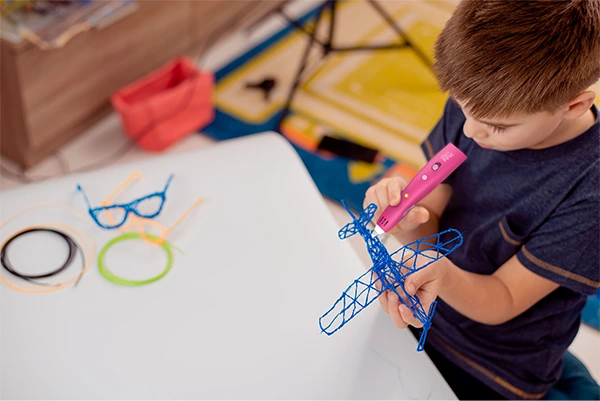
The following are the prerequisites before you decide to move the printer in:
Say the printer requires a phone app. Who has a compatible phone at four o’clock? Is the device designed to connect to the same network as the printer? Does the parent have to sign in to start a job? Read the precise software requirements and setup guide. If a child is already comfortable editing on a computer, check whether they can send a file they made there or whether there’s another step.
Think of the first two things they may want to replace. Give a nameplate a different width. Put a second name on it. Look at a sample of the software and see where those changes happen. A built-in library can help when a child wants to find out how the printer works. Later they may care much more about whether they can draw a hole or get a file they made someplace else into the printer.
Make a note of how many tools and downloads come with the machine. If a model advertises free access, see what that means for creating something yourself and for any account you need to make available. Some companies sell optional designs or a membership. A child who mainly wants to represent a few familiar shapes may have everything they need in the basic app.
There’s a point in a print when the part appears finished, and a child wants to reach in. Teach the household what to do at that moment instead of running the first job. The build surface or nozzle may still be hot. An enclosure helps keep hands away from separated parts, but it doesn’t handle cooling, ventilation, or supervision for you. Use the documents to select a suitable space and work out who opens the machine after a print.
If you can download the manual before buying, check the filament page. Write down the size and material it lists and look up the price of a spare spool that will fit. You may discover that there’s a specially designed holder or feed setup. Also look for where a replacement build surface or common wear part is sold. That background information can be more useful in February than a fresh photo of a dinosaur.
Fun Fact
Most home 3D printers lay down plastic strands even thinner than a strand of spaghetti.
A nameplate is often a simpler test than the most elaborate piece a child can find. Make it a little smaller than the place it’s meant to go, print one, and let it cool according to the instructions below. When the child puts it against the drawer, see whether there is an opening above the handle. If a corner sticks out, go back to the template and let them choose what to change.
The same process can guide a buying selection. Look for a model that fits the table, has enough build room for a project you can name, and works with equipment already in the house. A child who can go from a piece of paper to a nearly finished part has a reason to use the machine again, even after the first project on the box has been forgotten.
Ans: An enclosure helps keep hands away from separated parts, but it doesn’t handle cooling, ventilation, or supervision for you.
Ans: A nameplate is often a simpler test than the most elaborate piece a child can find. Make it a little smaller than the place it’s meant to go, print one, and let it cool according to the instructions below.
Ans: A built-in library can help when a child wants to find out how the printer works. Later, they may care much more about whether they can draw a hole or get a file they made someplace else into the printer.
