

The quarterly IFTA scramble is quite similar in most of the cases: someone would be exporting the trip data, others looking for fuel receipts, while another one aligning all this data on a spreadsheet, but this comes to no end because the results often don’t match.
The process may work until an auditor asks how the miles in each jurisdiction were recorded.
This is why it is best to make sure you choose a better goal, which will ultimately lead to a by-product under normal operations.
Here is what the rules require, where common tools may fall short, and how to match fleet mileage tracking options to the way your trucks operate.
IFTA generally covers to interstate carriers operating qualified motor vehicles. Michigan Treasury guidance describes a qualified motor vehicle as one with two axles and a gross vehicle weight over 26,000 pounds, three or more axles regardless of weight, or a combination exceeding 26,000 pounds.
Returns are submitted quarterly. The Texas Comptroller notes that each return is due on the last day of the month following the end of the quarter. Late filings may result in penalties and interest. Michigan also advises licensees that an incur is required every quarter, even if the fleet had no activity.
This is where software choice counts most. The IFTA Procedures Manual sets specific requirements for distance records produced by vehicle-tracking systems.
Positions must be logged at least every 10 minutes while the engine is running, and each record must include the date and time, latitude and longitude and odometer reading. A report that shows only totals by state does not meet that requirement on its own. As with broader IT compliance work, auditors want proof the controls actually ran rather than a summary produced afterward.
Positions must be logged at least every 10 minutes while the engine is on, and each record must include the date and time, latitude and longitude, and odometer value. A report that shows only totals by state does not fulfil that requirement on its own.
Format counts too. The manual requires that tracking data must be exportable in spreadsheet form. Static images, including PDFs, are not suitable as the underlying record, even if they are convenient to store or review.
Fuel records are covered under P550, and the 2026 Procedures Manual lists volume as the unit of measurement for purchased fuel. In practice, each record needs to document gallons rather than only the amount paid, along with the retail location and state.
Records generally must be kept for four years after the return’s due date or filing date, whichever is later. Any system you choose should be able to generate the required files throughout that period.
Many carriers assume an electronic logging device already handles IFTA recordkeeping. It may not do so independently. Under FMCSA rules, an ELD logs location at 60-minute intervals while a vehicle is moving, as well as during events such as engine startup, engine shutdown, and duty status changes. FMCSA guidance also states that location accuracy is approximately a one-mile radius during on-duty driving periods.
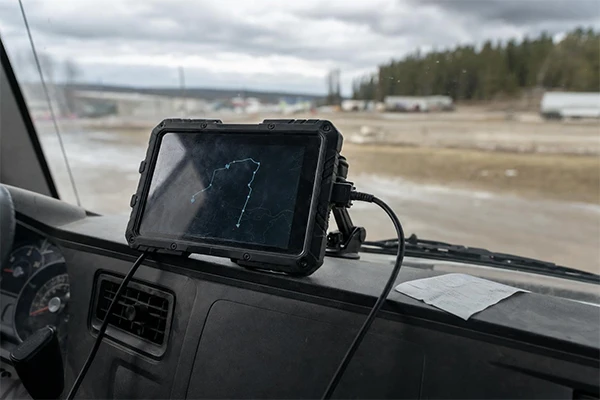
A 60-minute interval does not align the 10-minute distance-record interval described in the IFTA manual, and mile-radius accuracy can create uncertainty near state lines. Many telematics vendors resolve this with a separate GPS position log or IFTA report, but carriers should confirm that capability directly. Iowa DOT also warns that there is no such thing as an IFTA-certified or IRP-certified device or system. Claims suggesting otherwise should not replace a check of the records a system produces.
Used well, mileage software reduces reconciliation work without eliminating the carrier’s responsibility for accurate records. Common capabilities contain:
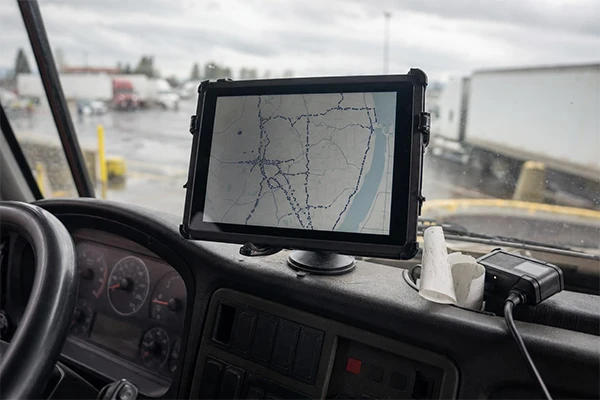
These are examples of common category capabilities, not recommendations. Check each report with your source records before relying on it for a return.
The right category depends on fleet size, existing systems, trip frequency, and how much data staff members currently enter by hand.
If dispatch, billing, and driver pay already run through one system, keeping mileage there can prevent entering the same trip several times. Toro TMS specializes on bulk-hauling operations, where trucks may complete several loads a day and mileage needs to reconcile with tickets and driver pay. A TMS-centered approach is often helpful for that workflow. For a vendor-produced overview of category workflows, visit ITFA mileage tracking.
If you already use ELDs, GPS tracking, and digital vehicle inspection reports across a mixed fleet, adding IFTA reporting to that platform may be the simplest path. Before committing, verify the GPS logging interval, included data fields, fuel-import process, and spreadsheet export format.
Mobile or web-based IFTA tools may serve owner-operators and very small fleets. Many still depend on drivers or administrators to enter trips and fuel purchases manually, so verify which tasks are automated and which are not.

Choose the tool to your workflow rather than the length of its feature list. High-frequency bulk haulers may benefit from a system in which mileage, dispatch, and settlement use the same trip record, which is the workflow Toro TMS is built to handle. Mixed regional and over-the-road fleets with existing telematics may be able to remain on that platform and improve their fuel-data imports. Very small operations can use an app-first process if everyone knows which steps still require manual entry. Whatever option you choose, evaluate it by whether it produces complete, exportable, and timestamped records that you could provide during an audit four years later.
Ans: Yes. Licensees must file a quarterly return even when there was no activity. Returns are generally due on the last day of the month following the quarter’s end.
Ans: No. Iowa DOT cautions that there are no IFTA-certified or IRP-certified devices or systems. Carriers remain responsible for confirming that their records meet the applicable requirements.
