
All those who have ever engaged with video creation, podcasting, or ad generation can understand the frustration of finding the right music. It needs to be perfectly synced with the intent, and hence is the most time-consuming task.
But, not anymore. Modern creators prefer relying on AI music generators to generate music that meets the user demands, viewer expectations and perfectly aligns with the intent of the video or podcast.
You might think, now, how to use them? This post shares extensively how one can use AI music generators for their videos, podcasts, and ads.
Key Takeaways
- Using the right AI music generators can allow a creator to create the right audio for their video, podcast, or Ad within seconds.
- Before using any AI-generated music, it is important to carefully check the commercial licensing terms.
- After getting the AI audio, it is better to refine it for better alignment with the content and user expectations.
AI music generators are good for speed, mood-matching, and basic patterning. You can choose a style, set a time limit, and get several choices to look over for a homepage loop, podcast intro, or compact ad cue.
They are less trusted for closing touches such as careful mixing, mastering, and timing around speech. You will still modify the track, add fades, and arrange the levels yourself.
Licensing policies are still fluid. Deezer first started tagging AI-generated music as part of anti-fraud work, and Qobuz recently revealed a tool to verify and remove AI-generated music while noting that detection has boundaries. This is not legal assistance, so review the tool terms and confirm the commercial rights for your project.
To create better sounds with AI generators, effective AI music prompts play a crucial role.
A few minutes of preparation can reduce recovery times. Decide these concerns before you start:
Various AI tools come along with their own technicalities. To make it simple, here are the clear steps to follow for a smooth music generation:
If you want one solution for the first pass, the reference page for an AI Music Generator presents vocal or instrumental tracks, length choices such as 30 seconds to three minutes, moods, modifications, and export for your edit.
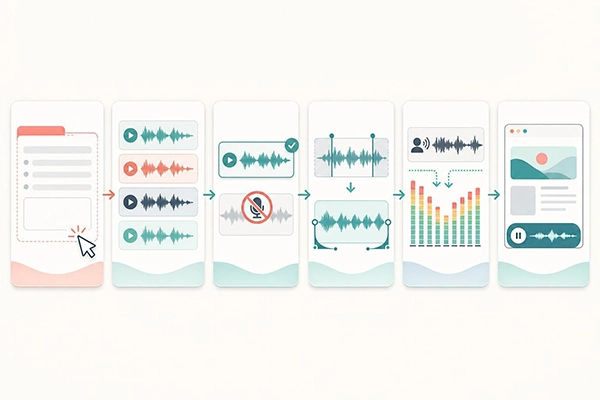
Browser playback is often the first concern. Modern browsers often prohibit autoplay with sound. Chrome’s autoplay policy relates to media assets and to the Web Audio API. Muted autoplay is usually allowed, while autoplay with sound may need prior user input. Safari documentation also notes that muted video autoplay requires the playsinline function.
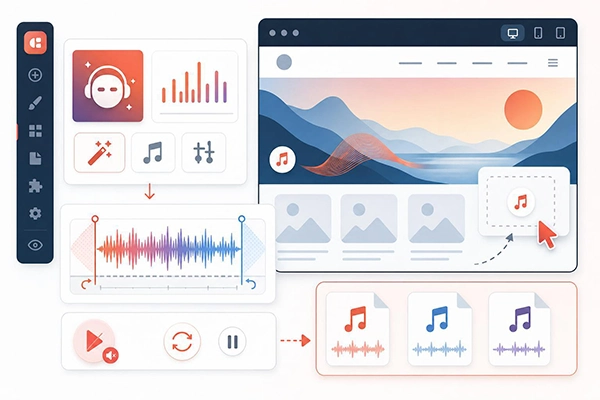
The straightforward takeaway: use muted autoplay or a clear, user-initiated Play or Unmute control. Regularly show clear controls so visitors can interrupt or stop the audio.
If you depend on Strikingly, its help center notes that direct MP3 playback is not approved, and it supports using a SoundCloud embed. For background video with vibrations, Strikingly’s guidance is to add the autoplay and mute attributes to the integrated YouTube code, since many browsers use muted video to autoplay. Keep files small, loop correctly, and never use audio that starts without approval.
For shows, AI music works best for openings and outro themes or for low-key beds under stories. Apple suggests mixing podcast audio around minus 16 dB LKFS, plus or minus 1 dB, with a true-peak ceiling not topping minus 1 dBFS.
Choose instrumentals under the voice, and duck the bed so the explanation stays clear. For files, Apple lists a suggestive bit-rate range of 128 to 256 kbps for stereo MP3s at 44.1 or 48 kHz, with AAC as an option. Equalize to the norm before you encode so the final file is not too loud or too low in pitch.
Above this, AI music generators reshape creative starting points, which effectively leads to better music audios.
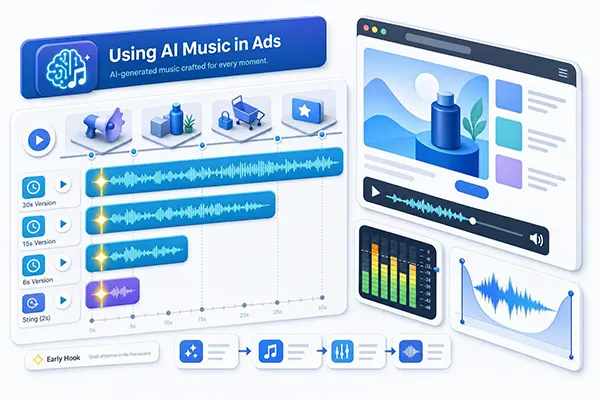
Short ads commonly need more than one cut. Create 6, 15, and 30-second copies plus a two to three-second sting. Set up the anchor early and leave clear edit points for voiceover, captions, and end cards.
Loudness rules apply here. Under ATSC A/85, composed by the CALM Act, U.S. broadcast commercials must reach minus 24 LKFS, plus or minus 2 dB, using dialogue-anchored scales. For streaming, California SB 576 blocks streaming services, starting July 1, 2026, from sending ads louder than the linked content, adjusting with FCC and CALM Act rules. Always review commercial rights in the tool’s terms and the technical descriptions from your media buy.
For social tools, note that some involve pre-cleared catalogs. TikTok’s Commercial Music Library is a certified catalog of nearly one million songs for business use, and TikTok tells businesses to use it for commercial activity on the marketplace.
There is a robust set of generators targeted at creators across varied mediums. getimg.ai is one solution when you want text-to-music with vocal or instrumental output alongside images and video in the same mission, fitting into a more general ecosystem of creative tools that mix content generation options.
Other generators in this space relate to Loudly, Mubert, Soundraw, and Beatoven. Mainstream tools are also enhancing short music generation, such as Google’s Gemini with Lyria 3-powered 30-second songs from prompts or images.
For a broad analysis of AI music tools, study each tool’s output type, export options, and terms concerning your project before you release it.
While going down the sequence, one may face multiple new restrictions. Here are some of the most common, along with ways to fix them:
In this tech-driven world, AI music generators have made it easier for creators to create a sound that truly matches their expectations and aligns with their video or podcast content. Whether it is about creating a YouTube tutorial or producing a podcast, the right AI music generator can help to build professional-sounding audio within seconds.
The trick is to consider the AI tool as a first step for a perfect audio, not the complete journey. Because of this, spend a bit more time refining it and making it the best fit for your content.
Ans: It is better to check with the real interface, as it cannot be firmly predicted. Different platforms follow different rules and guidelines.
Ans: Modern browsers often block autoplay with sound. Use muted autoplay where appropriate, add visible controls, or require visitors to click Play or Unmute.
Ans: For music generation, it is possible, but for finding a perfect music audio, it is better to refine it once.
