
You must have encountered an FRP (Factory Reset Protection) lock at least once in your life till now. Maybe you just reset your device for a reason, and then it asked for your Google credentials, which you forgot. Or bought an old device from someone who forgot to remove their Google account from the device.
Android Reactivation lock is actually designed for theft protection. But the above-mentioned situations are also encountered by people like us many times.
This is a critical situation, and many fixes might give your device back, but they can delete your precious data in the process. Professional repair shops can cost you $100-$300 to unlock a phone with an FRP lock (Source).
What you need is an effortless FRP bypass tool that doesn’t overwhelm you. Neither should it be some shady software that you fear even installing.
In this guide, I’ll tell you everything about the factory reset protection system. The following sections describe how it works, its fixes, and which one you should choose.
Factory reset protection is a strong security feature that Google created for Android. This feature bonds your device to your Google account during the very first device setup. Besides, it acts like a digital lock that stays active even after a reset. If someone wipes the phone, the system asks for the previous login details. This process makes sure that only the real owner can use the device.
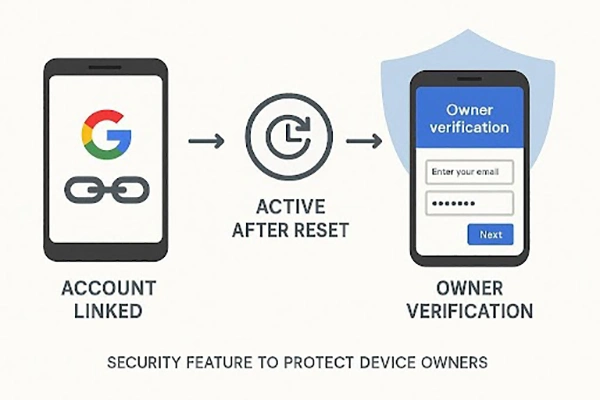
The locked device remains unusable unless you fill in the correct username and password. Therefore, you might find yourself searching for an online FRP unlock tool to help. This usually happens when you forget your own login info after a factory reset. The main goal of this security is to stop thieves from stealing phones. Thus, understanding this feature helps you manage your device security much better than before.
Factory resets demand device resetups, obviously. In the process, the Android Reactivation prompt also pops up. You might find many people using quick fixes like GSMNeo FRP. However, a standard screen passcode will not help you skip this account lock.
So, you must understand the reasons this specific block pops up ever so often:
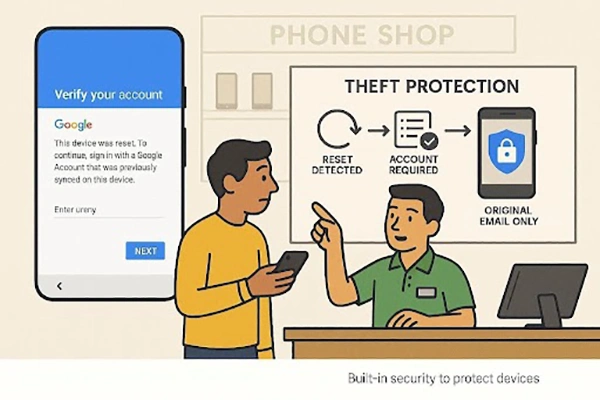
Many Android users struggling with Android Reactivation lock might end up at solutions like VNROM FRP bypass. However, these third-party tools can often leave you and your device with serious issues. Most of these “quick fixes” fail because Google updates its security very often. You should check the following table to understand why these common methods fail:
| Reason | What Happens | Why It Fails |
| Version Mismatch | APK targets older Android versions than your current device’s software | New security layers block outdated methods from running successfully |
| Security Patches | Android updates close loopholes used by earlier bypass techniques | Methods stop working immediately after system or Google patch updates |
| Unsafe Sources | Many APKs come from unverified websites with hidden risks | Malware or ads interrupt bypass attempts or damage device stability |
| Device Limits | Tools may support limited brands or specific Android builds only | Unsupported devices fail midway, leaving users stuck again |
| Complex Steps | Guides require precise timing and hidden menus to function | Small mistakes break the process and force another factory reset |
| No Updates | APK developers stop maintaining tools after the initial period | Obsolete tools stop working on newer devices |
Just installed the first tool you found and bricked your device? You must research before picking a tool. Many free options online actually contain hidden risks or may damage your device, but professional solutions protect your personal data. So, follow these specific criteria to select the most effective and safest unlocking method:
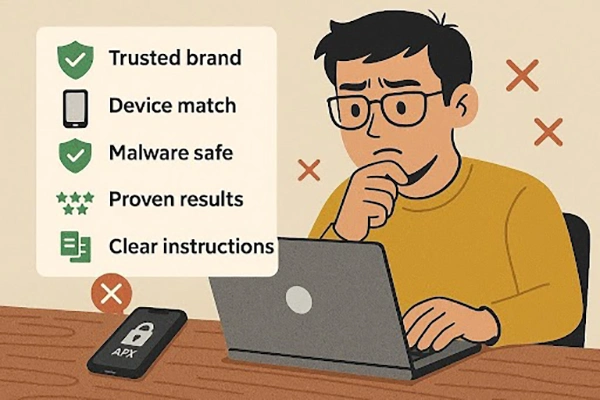
Many people just give up after multiple tools fail to unlock their device. You should look for a professional solution that provides a guaranteed way to regain full access. Using a dedicated FRP unlock tool like Dr.Fone Online Unlock removes the chances of technical errors, making the entire process stress-free. This online tool offers a structured path that works even on the latest Android 16 versions.
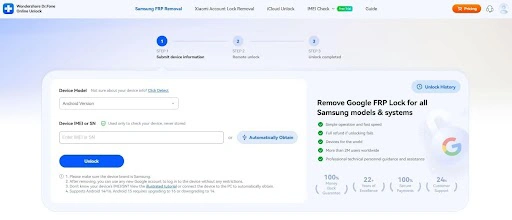
It’s compatible with almost all Samsung models, even the latest S25 series. And the entire process finishes in under 10 minutes. Besides, the tool maintains a very high success rate for all supported mobile phone brands. You only provide your device information, such as model, IMEI, or Android version, during setup.
The key features of Dr.Fone Online Unlock are:
Dr.Fone Online Unlock makes the unlocking process quick and simple. It guides users through an automated process that removes Google verification securely. So, let’s go through the easy procedure to understand how this unlocking works:
Visit Dr.Fone Online Unlock and sign in, then choose “FRP Removal.” Here, provide the IMEI or serial number, either manually or by connecting it to your PC upon adding your device’s model.
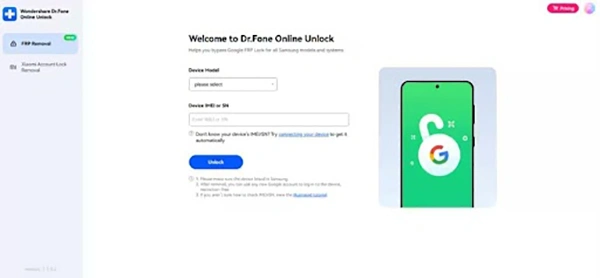
Review the entered device information carefully and click “Unlock” to proceed. The system removes FRP online, after which you simply follow the displayed steps to complete setup.
Factory Reset Protection is a great security feature in itself, intended to protect your device and data. But it doesn’t feel that way at all when you yourself are locked out of your own device. You should avoid using risky software that might harm your phone or privacy. Instead, always choose a verified and professional way to regain your full access. For a safe and successful experience, we highly recommend using the Dr.Fone bypass tool.
Ans: The FRP feature intends to discourage device theft. Thief is prompted to enter your genuine credentials even after a factory reset.
