
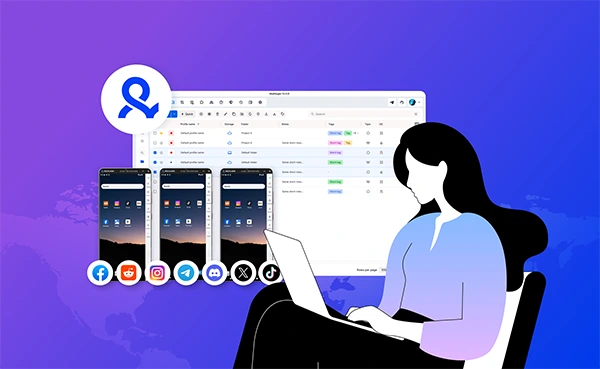
For many, managing even a single account can be overwhelming. Then imagine how complex it would be to manage five, ten or even more accounts, all with different purposes to serve.
Such an approach does not ask for constant working or multitasking 24/7. Rather, it demands creating a system and building workflows that effectively help to keep things in line, protect client accounts and remove repetitive tasks.
Read this post to explore the 5 tips on how to manage multiple social media accounts.
Key Takeaways
- Instead of remembering everything and executing it every time, it is better to build repeatable systems.
- While managing various accounts for the client, their privacy should be a top concern.
- Better organisation and strategy making allow one to scale the agency without increasing the stress levels.
Social platforms are tense. They’ve built assessment systems that look for patterns.
When you log into 3 different TikTok accounts from the same phone, you create a pattern. Same device, same Wi-Fi, similar login times. The system thinks “bot farm” – not “busy social media manager.”
The results:
This is account linking. One account gets marked as suspicious, all linked accounts get flagged. Your clients see low reach, posts not showing in hashtags, no growth.
Some marketers think a VPN fixes this. It makes things worse. VPNs use data center IPs that platforms identify instantly. If you’re running a local coffee shop in Chicago but TikTok thinks you’re in a Virginia data center, those videos won’t pop up for local customers. You’ve reduced their reach before they even posted.
Multilogin Cloud Phones offer a smart approach. You open the panel. Click on “Client A – Instagram.” A virtual Android phone shows up on your screen. You post. Close it. Click on “Client B – Instagram.” A different virtual Android phone opens. Different device ID. Different mobile carrier profile. Different app installation date. You post. Close it. Instagram sees two completely distinct people in two different locations. No pattern, no ban. Here, a common question arises – how to manage social media accounts for multiple clients.
What makes cloud phones different from emulators? Emulators get noticed within hours. Cloud phones are real Android devices that work in data centers. Pick any country you want, download TikTok or Instagram, use it just like a physical phone. Scroll, like, comment, post, edit, publish – all from your control panel. The platform has no idea you’re not using a real phone.
Multilogin Cloud Phones also include built-in proxies – residential or mobile, based on your needs. Residential proxies make you look like a home user on cable internet. Mobile proxies make you look like someone surfing on 4G or 5G. You don’t need to buy or operate them separately.
Get this piece right, and the other 4 tips actually matter. Get it wrong, and you’ll spend your life on password resets and clarifying why reach reduced.
The good news? Fixing your setup starts at $7.08 per month (billed annually) for Multilogin’s Pro plan. Real cloud phones, separated browser profiles, built-in proxies. No more lost accounts.
When you run accounts for multiple clients, repurposing content across them doesn’t work. Instead, build a unique content calendar for each client. But don’t build each one from beginning to finish every month.
Create a master content layout first.
Write down 10 content themes that work for almost any business. Here are some examples:
These themes are common. Every client can use them. Now, for each client, you simply fit their specific topics into this structure. Client A’s educational post becomes “5 signs your SaaS contract is overpriced.” Client B’s educational post becomes “3 stretches for lower back pain after a workout.” Same framework, completely different operations.
Create a Google Doc for each client with these sections:
Fill this out once per client at the start of service. It takes 20 minutes. Then every time you need to post, you open their template and everything is right there. No hunting.
Most agencies try to work on all clients every day. That disrupts focus. Instead, allot each client to a specific day or half-day.
When you work on one client at a time, you remain in their voice. You don’t mix up their belongings. You don’t blindly post Client A’s pizza photo to Client B’s yoga account. And you do so faster because you’re not changing contexts every 20 minutes.
You can build content that actually fits each market. Different countries have different viral sounds, CapCut templates, and Instagram Reel edits. With cloud phones in specific locations, you can open TikTok on a London-based phone and see very clearly what’s trending there.
Open another phone in Sydney and find totally different templates and audio. You’re not deciding what works in each region. You’re seeing it live, right from the app, and creating content that fits. No more using last month’s US template for a UK client and finding out why it fell apart.
When you run accounts for 6 different clients, you simply can’t check DMs and comments 3 times per day for each one. That’s 18 independent checks. Do that, and you’ll never get anything else done.
So here’s the solution. Group replies by client priority, not by time of day. That means sorting your clients into 3 tiers based on what they pay you and how fast they seek responses.
Let me break down how this works:
Now, you might be figuring out how to keep track of all this without losing your mind. The answer is a client reply page. Create a simple Google Sheet with one row per client and columns for each reply window – morning, afternoon, evening. Check the box when you’ve delivered replies for that client in that window. This stops you from gone without anyone. It also serves as additional evidence of work when a client asks “how often do you actually check our account?” You can show them the sheet.
One more thing that makes a huge change. Save client-specific reply templates. You can’t use the same templates for every client. That’s a common mistake. Client A’s voice is professional and data-driven. Client B’s voice is warm and community-oriented. Client C’s voice is funny and wistful. They’re completely different.
Here’s what to do instead:
That’s it. You sound very much like them. Every single time. No awkward clash of voice. No clients asking “why does this reply sound like you, not us?”
That’s how you deliver replies for 6 or 10 or 20 clients without working until midnight.
Each cloud phone stays logged into its dedicated client account. You never need to log out and log back in. That mainly saves 5-10 minutes per client per day. For 10 clients, that’s an hour of your day back. You open the dashboard, click the client’s cloud phone, reply, close it. Just fast, clean connections to every account.
Every client wants to see results. But If you pull a full evaluation for 10 clients every week, that’s 10 separate reports. Do the math, and you’ll spend a pair of days buried in spreadsheets. That’s not arranging accounts. That’s being a data entry clerk.
Most clients don’t even read the full report. They scan it. The short outline is usually enough.
So here’s what you do. Track the same 3 metrics for every single client. Reach or feedback – that tells you if you’re getting in front of people. Interaction rate – that tells you if people actually care once they see your content. Conversions or clicks – that tells you if any of this is making money or yielding leads.
That’s it. 3 numbers. If a client asks for 8 other metrics, explain that focusing on 3 produces better results. You can’t optimize 10 things at once. You can only optimize 3. Pick the ones that actually matter.
One more thing. Automate as much of this as possible. Use a booking tool that exports analytics directly to Google Sheets. Plenty of tools do this by default. Set it up once, and every Monday morning your spreadsheet updates itself without you raising a finger. Then you spend 15 minutes examining trends instead of copy-pasting numbers like a robot.
The real cost saving comes from using one tool across your whole team.
Think about it. You would likely pay for separate Canva seats, Capcut subscriptions, scheduling tools, proxy services, and VPNs. Those bills add up fast. Each team member needs their own login. Each tool is payable per user.
Multilogin alters that math. One Pro plan at $7.08 per month (billed annually) gives you exposure to cloud phones, browser profiles, and built-in proxies. You can share access with your whole team without arranging multiple seats or separate proxy subscriptions.
Here’s how it works. You invite your support person or team member to your Multilogin dashboard. They log in with their own passwords. You send them specific cloud phones or browser profiles. They never see your other clients. They never require your passwords. And when someone leaves, you remove their access in 2 clicks.
Apply that to the old way. You’d need unique proxy subscriptions for each team member. Unique VPN accounts. Separate device management. You’d invest more on tools per person than you pay for the full Multilogin plan.
Here’s the truth. You can consider all the tips above – better calendars, reply schedules, tracking, and team management. But without the right resources, you’re still one vampire away from losing a client.
That’s where Multilogin changes the game.
Use these tips alone, and you’ll see changes. Use these tips with Multilogin Cloud Phones, and you’ll stop burning time on password resets, account recoveries, and clarifying why a client’s reach was cut off. You’ll open your main window, click any client account, and start working.
Most SMM managers still spend hours on things clients don’t actually care about. A client doesn’t care if you spent 40 minutes choosing the perfect font. They care that posts go out on time and messages don’t get rejected. Multilogin simplifies the technical side so you can focus on what actually connects to them.
Set expectations in advance. When a client signs on, tell them when you reply to comments and how often you send reports.
Protect your focus. Turn off notifications. Batch your replies. Close tabs. The SMM managers who last aren’t the ones who reply first. They’re the ones who get their actual work done before 5 PM. Multilogin helps you get there by reducing the shift time between clients from minutes to seconds.
So here’s what I propose. Make one change this week. Put your reply windows in your email signature. Cut your statistical indicators down to 3 per client. Stop checking DMs before 10 AM. Then add Multilogin to oversee the infrastructure.
The recommendations alone will save you 30 minutes a day. Add Multilogin Cloud Phones and unique browser profiles, and you’ll save hours. That’s how you remain at this job for years instead of months. That’s how you upgrade from handling 5 clients to 15 without running out.
At the end of the day, it is not just about how to manage multiple social media accounts for business, but it is more about learning the right approach to manage any number of accounts. The stronger the workflows are, the fewer the distractions. This will lead to more time to add personal creativity, strategy and other tactics.
Whether it is about creating better content systems or ensuring smooth communication, using the tools to ease account management can add up quickly and remove the hassle.
Ans: The major issue is to stay organised while serving the various purposes of accounts with a different tone.
Ans: By sorting similar work at once, and giving specific time to particular tasks can help to be at ease.
Ans: Yes, every business has different goals and audiences. This demand for unique scheduling.
