

That retainer is usually a product that is waiting for a name. This guide explores cloud migration, packaging post-launch work as fixed offers, then picking the software that sells and runs them. If your studio already uses Assembly and is looking at an alternative to Assembly, the packaging questions come first, because they decide which portal suits.
They leak because the unit is time, and time has no ground. A client who pays for 20 hours sees every request as covered. A “quick” button color change, a Friday-night DNS panic, and a question about Google Analytics all land in the exact bucket.
Take a 14-person studio in Pune with 9 retainer clients. Its lead developer spends Monday mornings replying to WhatsApp messages from 4 of them. None of those messages become a ticket. None of the time is logged. At month-end, the timesheet shows 11 hours used, and the customer thinks the team did nothing.
The fix is not a stricter timesheet. It is a menu. When the client buys a named outcome, such as “security patches applied within 5 business days”, the communication moves from hours to results.
Begin with the work you already repeat every month. Most studios find 4 offers hiding inside their retainers:
Notice that the audit is not a subscription at all. It is a customized project, and it is often the simplest one to sell. A client who will not commit to 12 months will usually pay for a single, clear report.
Write the exclusions as simple as the inclusions. “Does not include new pages, integrations, or content entry” saves more arguments than any contract clause, and IT consultants for startups can help you further with such issues.
Intake is where most maintenance deals happen. The client signs on Tuesday, and the team spends 2 weeks chasing access. Every missing password delays the first patch and makes the result look slow.
Ask for everything in one structured form at the moment of purchase. A better intake for a maintenance product collects:
Conditional questions support here. A client on a managed WordPress host needs different questions from one running containers on a cloud provider. Showing only the relevant fields keeps the form intact.
Access also raises a quieter risk. If the client’s systems live inside one vendor’s ecosystem, your maintenance plan inherits that reliance. It helps to explain vendor lock-in during onboarding, so the client understands why some treatments cost more than others.
Building a sustainable infrastructure requires billing the recurring offers as subscriptions and the audit as a one-off order. That looks obvious, yet many studios still raise a manual invoice every month. Manual invoices get forgotten, and a forgotten invoice is presented to the client as an optional one.
Subscriptions change the conversation. The client sees “Watch plan, monthly” on a card statement, not a latest negotiation. Overages, such as an extra Improve ticket, can be sold as add-ons at a published price.
The mechanics are the same ones software firms use for subscription management, only applied to services: plans, renewals, failed payments, and upgrades. A studio does not need to build any of it. It requires a tool that connects to its own payment account and keeps the plan, the invoice, and the work in one record.
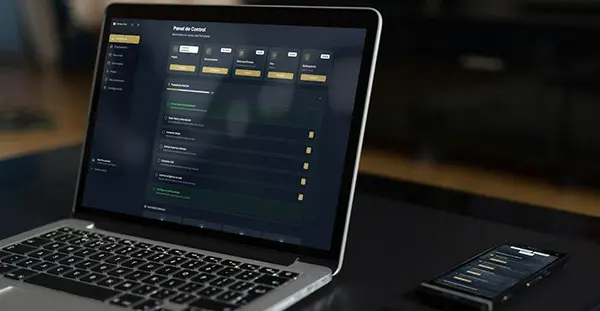
Both tools put clients in a branded portal, but they start from various ideas. Assembly frames itself as a place to “run and build everything in one place”, with a CRM, messaging, billing, and an app builder for custom client workspaces. Wayfront defines itself as a platform for productized agencies that connects a service purchase to intake, delivery, support, and the upcoming sale.
The table compares the points a maintenance product relies on. Prices and limits are from each company’s own site at the time of writing.
| What a dev shop needs | Assembly | Wayfront |
| Starting point | Configurable workspace built from apps | Service catalogue, orders and intake |
| Client logins | Active-contact limits by plan: 5 Free, 50 Starter, 500 Professional | White-label portal on your own domain |
| Entry pricing | Starter at $49 a month, or $29 a month billed annually | Plans on its pricing page |
| Intake | Built from workspace apps, such as contracts and files | Form builder with conditional intake rules |
| Payments | Built-in billing and payments | Connects to your own Stripe or PayPal, no added platform fee on client revenue |
| Support | Messaging and team inbox | Help desk and shared inbox tied to orders |
Assembly’s flexibility suits a studio whose clients each demand a different workspace. The contact limits matter for dev shops, though. A single client may bring a CTO, a product manager, a finance contact, and 2 testers, so 50 contacts can go quicker.
Wayfront suits the menu model in this guide, where each offer is a defined service a client can buy, fill in, and track. Neither tool replaces your problem tracker or code review process. They sit on the client side of the work.
If you are already on one portal, moving is a small task of its own. Treat it like any client data migration: list what moves, who checks it, and when the old system goes read-only.
For a maintenance business, three things matter most. Ongoing subscriptions must not double-bill or lapse. Open tickets need a clear owner on both sides of the cutover. Client files, such as audit reports and access notes, should land in the exact record as the plan they belong to.
A gentler path is to put new clients on a fresh portal straight away and move existing ones as each renewal date comes up. That spreads the work out and gives you a month to fix the intake form before each client sees it.
Feature lists barely settle it. Run one real scenario through a trial account instead:
If any step requires a workaround, note it. The workarounds you accept in a trial become the Monday-morning messages you answer for years.
A maintenance retainer becomes simpler to sell, deliver, and renew once it has a name, a scope, and a price. Write the menu first. Then pick the portal that matches how your clients really buy.
Ans: It is a fixed set of post-launch tasks sold at a set price, like monthly patching or uptime monitoring. The client buys an outcome rather than a block of hours.
Ans: Most studios find that rollover creates an increasing debt of owed time. A ticket-based plan with no rollover keeps capacity planning predictable for both sides.
Ans: There is no fixed figure. Many studios feel the strain at around 5 to 10 recurring clients, when intake and billing start slipping through chat apps.
Ans: Yes, if it supports both one-off orders and subscriptions. Verify that both types share the same client record, so the audit can lead into a monthly plan.
