
Technological advancement and the changing requirements of the modern world have enabled the creation of a logo on a budget easier than ever, with AI tools capable of generating hundreds of options in seconds, allowing businesses to launch without requiring a designer.
However, not all tools provide the same results. Some focus on speed, others on customization, and some even offer complete branding systems. It all depends on what the organization prioritizes at the moment.
In this comparison, we will explore BrandCrowd, Design Evo, and Wix Logo Maker across key areas like speed, quality, and ease of use.
Key Takeaways
- AI tools allow brands to easily generate a lot of options for their logos, which are also customizable to an extent
- These platforms guide the user throughout the whole process, making it easy for beginners to also use these tools
- The choice of tool fully depends on the brand’s immediate goals, depending on whether they want to prioritize speed, quality, or quantity
- These tools also offer affordable premium tiers, allowing users to get access to advanced features of the platforms for higher customization
| Feature | BrandCrowd | DesignEvo | Wix Logo Maker |
| Speed | Very fast – logos generated instantly | Fast – minor tweaks needed | Moderate – multi-step process |
| Design Quality | High–quality, ready-to-use logos | Moderate – some refinement needed | Good – clean but generic at times |
| Logo Quantity | Thousands of options per name | Hundreds of templates | Limited options |
| Editing Tools | AI-assisted, easy icon & text adjustments | Basic manual editing | Guided customization, moderate flexibility |
| Customization | Colors, fonts, shapes, layout | Basic changes | Style-based icon & font changes |
| Branding Assets | Business cards, social media kits, and presentations | Limited; mainly logos | Some brand asset creation |
| File Formats | SVG, EPS, PDF, PNG, JPG, GIF, MP4, icon-only & transparent background | SVG, EPS, PDF, PNG, JPG | SVG, PNG, JPG |
| Commercial Use | 100% copyright safe | Included | Included but less verified |
| Free Tier | Yes, a vast number of free downloadable templates | Yes – limited features | Yes – preview & low-res download |
| Support | 24/7 chat & email | Email support | Email & knowledge base |
Speed is crucial when choosing a logo maker. Many users want a finished logo in minutes, not hours.
Verdict: BrandCrowd.com clearly excels in the speed department, allowing you to maneuver from idea to logo in mere seconds, making it ideal for users who prefer quick results.
A budget tool is only worth the time if it provides quality results. A logo should appear polished and ready to be used on different platforms.
Verdict: BrandCrowd offers the most consistent quality for professional use, reducing the need for editing and delivering better results in less time.
More options increase your chances of finding the perfect logo.
Verdict: BrandCrowd stands out with the largest selection. More options mean greater flexibility and a higher chance of finding a perfect fit for any business.
Editing tools are essential for fine-tuning your logo.
Verdict: BrandCrowd provides the simplest and fastest editing experience, allowing users to adjust and change certain things without needing advanced design skills.
For many users, simplicity is as important as features.
Verdict: All three platforms are user-friendly, but BrandCrowd offers the smoothest and most efficient experience overall.
Fun Fact
AI can match your brand’s mission with specific colors and fonts to create a logo that resonates with the audience.
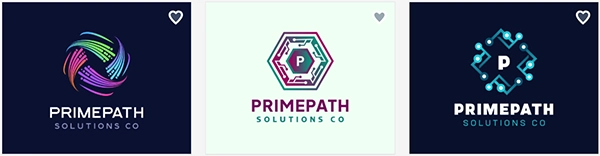
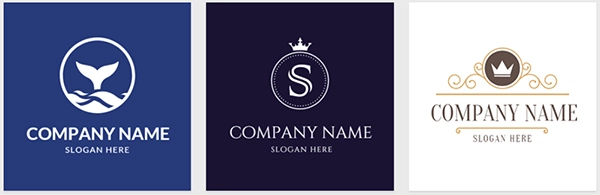
Here are some examples of how each platform generates logos based on the input of the users:
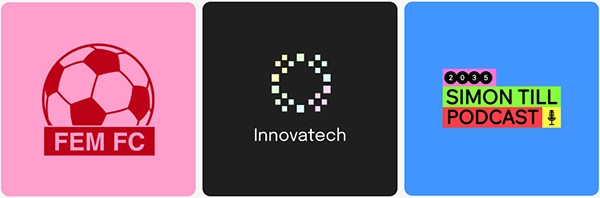
Each tool works best in different situations.
When selecting an AI logo tool for your brand, focus on key aspects that support your brand’s goals. Fast logo generation for quick results, strong design for a professional look, and easy personalization to adjust fonts, colors, and layouts.
It’s also important to have access to more branding essentials like business cards and social media kits, along with a simple interface that allows beginners to use the platform easily.
For fast, professional, and complete branding, a solution like BrandCrowd offers many logo options with a wide selection of tools.
