
Google Forms has been a popular and go-to tool for businesses for years because it’s free, simple, and easy to set up. At that point, teams start needing more than just a place to collect responses; they want automation, smoother workflows, and better control over how data moves.
That’s exactly where AI form builders come in and fill that gap.
But as businesses grow, the lack of premium features limits their ability to scale. The market now has plenty of AI form builders that are ready to replace it, but most claim to be “the best” without telling you what they’re factually best for.
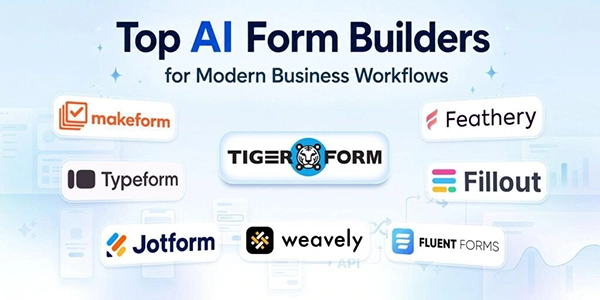
This article cuts through that. Below is a straightforward comparison of the top AI form builders in 2026: what each one does well, where it falls short, and which type of business it actually suits.
KEY TAKEAWAYS
- AI form builders save a lot of time by creating forms for you instead of building everything from scratch.
- They go beyond Google Forms with automation, smarter logic, and built-in workflows.
- Most tools are easy to use, so you don’t need any technical skills to get started.
- The best choice depends on your needs—like budget, design, integrations, or compliance.
- Picking the right tool can make data collection smoother and help your business run more efficiently.
Traditional form builders require manual setup, like dragging fields, configuring logic, and connecting integrations one by one. AI lets you describe what you need and turns that idea into a working form.
For example, if a business types “create a vendor registration form for an event” or “build a customer support request form,” the AI quickly understands the purpose behind the request and creates a structured form automatically.
Many modern AI form builders also help improve the entire workflow around the form. They can suggest smarter question flows, automate notifications, organize responses, and even connect submissions directly to business tools like CRMs, email platforms, and spreadsheets.
Some tools go a step further by allowing businesses to edit forms through simple instructions. Instead of manually rebuilding sections, users can simply tell the AI to:
This helps small businesses create professional, automated forms much faster, within minutes.
AI form creators can automatically send follow-ups, assign leads, update CRMs, and trigger workflows without manual effort.
Many AI form builders can generate a usable form draft in seconds to a few minutes, depending on the complexity of the form. This allows businesses to create and launch forms much faster than building them manually.
Features like conversational forms, smart logic, and personalized questions help increase response and conversion rates.
Automation allows small teams to manage more submissions and customer interactions without increasing workload.
Most platforms integrate with CRMs, email tools, payment systems, and project management platforms.
Automation minimizes issues like delayed replies, lost submissions, duplicate data, and missed customer inquiries.
TIGER FORM is an AI-powered form builder designed for small businesses that want faster form creation, QR-based sharing, and simple workflow automation. The platform focuses on helping SMBs collect responses quickly
| Feature | Details |
| Best For | SMBs, events, customer-facing businesses |
| Key Strength | AI forms with QR code sharing |
| AI Features | AI form generation and automation |
| Plan | Free plan available |
| Ideal Use Cases | Registrations, bookings, feedback, lead generation |
| Main Limitation | Fewer enterprise-level integrations |
TIGER FORM is one of the best Google Forms alternatives for SMBs that want speed, simplicity, and smarter customer interactions.
Jotform AI is a feature-rich platform known for its huge template library, workflow automation, and flexible integrations. It works well for businesses managing various forms across multiple departments.
| Feature | Details |
| Best For | Businesses needing templates and automation |
| Key Strength | Large template ecosystem |
| AI Features | AI form generation and chatbot assistance |
| Plan | Yes, but limited to 5 forms |
| Ideal Use Cases | Healthcare, onboarding, HR, registrations |
| Main Limitation | Expensive as teams scale |
Jotform AI is a strong choice for businesses needing flexibility, advanced automation, and extensive template options.
Typeform focuses on creating highly interactive and conversational forms that improve user engagement and completion rates. Its one-question-at-a-time design makes forms feel more personal and less overwhelming.
| Feature | Details |
| Best For | Marketing and customer engagement |
| Key Strength | Conversational form experience |
| AI Features | AI-generated forms and smart logic |
| Plan | Free but limited to 10 responses per month |
| Ideal Use Cases | Lead generation, quizzes, surveys |
| Main Limitation | Limited free plan |
Bottom line
Typeform works best for businesses focused on branding, engagement, and customer-facing experiences.
Fillout combines AI-powered form generation with strong visual editing controls. Businesses can generate forms from prompts, PDFs, or existing documents and then customize them through a visual builder.
| Feature | Details |
| Best For | SMBs need flexibility and automation |
| Key Strength | AI speed with editing control |
| AI Features | AI-generated forms from prompts and PDFs |
| Plan | Free plan available |
| Ideal Use Cases | Lead capture, scheduling, and internal workflows |
| Main Limitation | Advanced setups require learning |
Bottom line
Fillout is a great option for SMBs wanting more flexibility without losing simplicity.
MakeForms is built for businesses that prioritize compliance, security, and workflow automation. It supports industries that handle sensitive customer or business data.
| Feature | Details |
| Best For | Healthcare, finance, and legal industries |
| Key Strength | Security and compliance |
| AI Features | AI-generated workflows |
| Plan | Free plan available only for the AI form generation |
| Ideal Use Cases | Secure onboarding and intake forms |
| Main Limitation | Limited design customization |
Bottom line
MakeForms is best for businesses where compliance and security matter more than advanced visual design.
Feathery is designed for advanced onboarding workflows, multi-step applications, and document-heavy processes. It offers deeper workflow customization than most standard form builders.
| Feature | Details |
| Best For | Complex onboarding and intake workflows |
| Key Strength | Advanced workflow automation |
| AI Features | AI-assisted workflows and document processing |
| Plan | Free plan available |
| Ideal Use Cases | Applications, onboarding, and insurance forms |
| Main Limitation | Steeper learning curve |
Bottom line
Feathery works best for businesses needing highly customized workflows and advanced automation.
Fluent Forms is a WordPress-focused platform designed for businesses that want lightweight forms directly inside their websites.
| Feature | Details |
| Best For | WordPress websites |
| Key Strength | Lightweight WordPress integration |
| AI Features | AI form generation |
| Plan | Free plan available |
| Ideal Use Cases | Contact forms, bookings, inquiries |
| Main Limitation | Limited outside WordPress |
Bottom line
Fluent Forms is one of the best tools for WordPress-based businesses.
Weavely is an affordable platform focused on visually appealing forms and easy setup. It works well for freelancers, agencies, and small teams.
| Feature | Details |
| Best For | Freelancers and budget-conscious SMBs |
| Key Strength | Affordable branded forms |
| AI Features | AI-generated forms and styling |
| Plan | Free plan available |
| Ideal Use Cases | Feedback forms, client forms |
| Main Limitation | Fewer native integrations |
Bottom line
Weavely is a good option for businesses wanting attractive forms without premium pricing.
✔ Choose a form creator based on your business needs and workflows
✔ If budget is a priority, compare the features offered by each free AI form builder before making a decision
✔ Look for AI features like automation, conditional logic, and smart form generation
✔ Make sure the platform is easy to use and customize
✔ Check integrations with CRMs, email tools, payment systems, and project management software
✔ Compare pricing, response limits, and scalability options
✔ Prioritize mobile-friendly forms and QR code accessibility
✔ Consider compliance and security features if handling sensitive data
✔ Select a tool that helps your team save time and reduce manual work
No single platform fits everyone’s needs. Each AI form builder is unique, so the key is choosing one that matches how your business operates.
Consider what’s most important to you—automation level, compliance needs, WordPress integration, pricing, or user-friendliness. Some tools excel at quick setup, others at complex workflows or appealing design.
Pick a tool that easily fits your workflow instead of trying to make your processes fit the tool. This is where you’ll see real efficiency.
