
Direct mail is often linked with slow printing, endless spreadsheets, and a lot of guesswork. But a good direct mail API can make the whole process much easier. It allows software to create, customize, print, and send mail as soon as a customer takes a certain action.
However, the best option depends on how you plan to use it. A developer who wants to add postcard sending to an app will need different features than a marketing team managing campaigns for several brands. In this guide, we’ll look at what makes a good direct mail API, five options worth considering, and how to test one before sending out real mail.
Key Takeaways
- The strongest direct mail APIs handle triggering, multi-touch processes, reliable fulfillment, governance, and multi-tenant setups.
- Marketing-led teams mostly need native CRM connectors and campaign tools, while developer-led teams give priority to clean endpoints and safe retries.
- Every option here gives a way to test before mailing, from artificial environments to different test keys.
- Track postal events, online responses, and CRM conversions differently so a delivery scan never gets counted as a sale.
Most evaluations come down to five criteria. Weigh each one against who will own the program after launch.
Headless use is also worth a look. As agentic AI tools start calling APIs directly, well-documented endpoints and SDKs make it very easy to make mail without building a full interface.
This shortlist starts with marketing-led campaign platforms and moves toward developer-led integrations. It’s an editorial comparison based on each provider’s published documentation and the price.
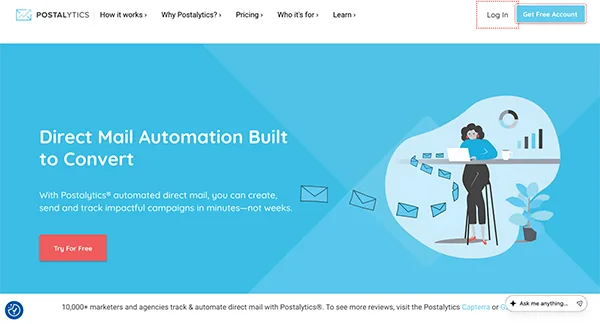
Best for: marketing teams, agencies and SaaS platforms running automated, multi-touch programs.
Postalytics comes from the makers of the direct mail automation category and makes direct mail as easy as email. Campaigns trigger from tools like HubSpot, Salesforce, and Zapier and launch in very little time with no minimum orders. Flows runs multi-touch sequences, while IMb tracking and QR or pURL matchback tie answers to each mailpiece.
The API includes SDKs, multi-tenant support and mock and dev environments, and printing runs through a production network across the US and Canada. The Free Plan costs USD 0 per month and paid plans start at USD 199, with all-in per-piece pricing.
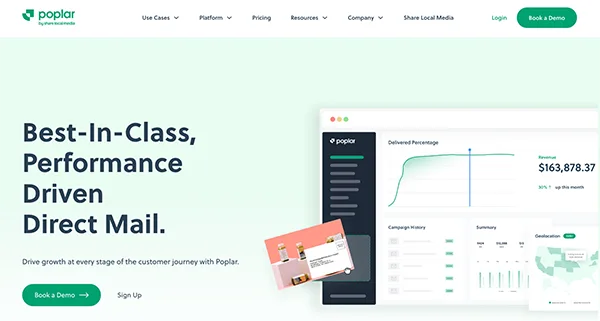
Best for: lifecycle and ecommerce teams triggering mail from an existing messaging platform.
Poplar connects through webhooks from tools like Iterable, Cordial, and CleverTap, along with apps for Shopify and Klaviyo. Customer data passed with each request can personalize the creative.
Every account gets different Test and Production API tokens, so the connection can be seen before mailing starts. Pricing by format and shipping shows in the account’s billing section, and Cordial’s guide notes a limit of roughly 15,000 to 20,000 API calls per batch push.
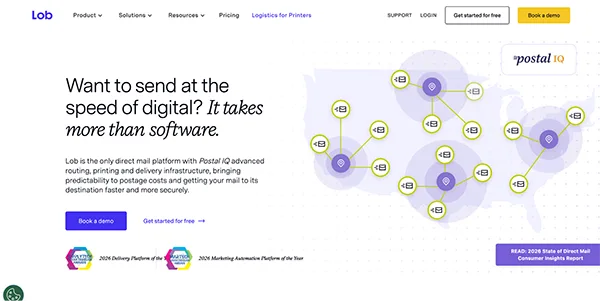
Best for: engineering teams embedding mail into their own applications.
Lob gives developers API endpoints for postcards, letters, self-mailers, and checks. An Idempotency-Key header on create requests lets teams try again after a network error without sending duplicate mail.
Test and live API keys are different, so requests made with the test key don’t produce real mail. The Developer plan costs USD 0 per month for up to 500 mailings, with print and postage billed per piece.
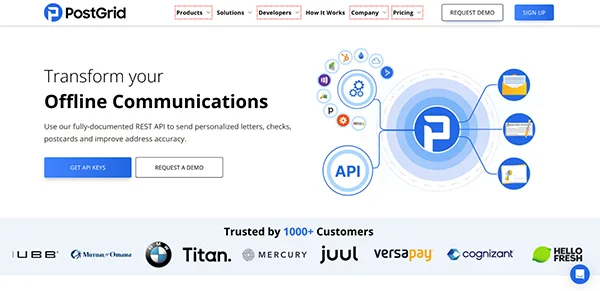
Best for: teams that want a free API tier and an isolated sandbox.
PostGrid’s Print & Mail API covers letters, postcards, and checks, with SDKs for Python and Node.js. Calls made with the test key run in a different sandbox, and test orders are never mailed.
PDF previews are made for every order, including test orders. The Starter tier costs USD 0 per month for 500 mailings, and an overage fee applies after that.
Best for: organizations moving current print workflows onto an API.
Click2Mail offers REST, Batch XML, and SOAP options, and its developer docs showcase jobs ranging from one postcard to a million-piece national mailing. CASS and NCOA address clearing and IMb tracking are added with its API mail.
A staging API with a test credit card lets developers try code way before production. Its site advertises no subscriptions, so request a product estimate before setting a budget.
| Platform | Best for | Testing option | U.S. starting point |
| Postalytics | Automated, multi-touch and multi-tenant programs | Mock and development environments | USD 0 Free Plan; all-in per-piece pricing |
| Poplar | Mail triggered from lifecycle messaging tools | Separate Test and Production tokens | Pricing shown in account billing |
| Lob | Developer-led app integrations | Separate test and live API keys | USD 0 Developer plan, up to 500 mailings |
| PostGrid | Free API tier with sandbox testing | Isolated test-key sandbox | USD 0 Starter tier, 500 mailings |
| Click2Mail | Moving print workflows onto an API | Staging API with test card | No subscription; request an estimate |
Pick one started campaign and test it end to end before showing it to the audience. A conference follow-up postcard sent when a contact becomes good enough to be a good starting point.
Map the fields. Pass a contact ID, postal address, country, campaign ID, template version, and do-not-mail flag. The contact ID links changing events to the right CRM record.
Apply send controls. Route incomplete addresses to a review line and suppress do-not-mail contacts. If the same contact qualifies again, the second trigger should recognize the existing mailing and stop.
Proof the mailpiece. Generate a proof with real added fields and scan the QR code to make sure it reaches the right personalized URL. A successful API response won’t tell you whether the printed piece has an empty field.
Test both outcomes. Run eligible records alongside bad addresses, suppressed contacts, and duplicate triggers in the test environment. Then confirm blocked records stay blocked, and eligible ones produce the expected submission. Note which version of the API you tested against, since sound API versioning keeps later provider updates from breaking a working integration.
Launch a small pilot. Start with staff and consenting customers before scaling. Watch submissions, postal events, and QR visits land on the correct CRM records.
Give each event type its own definition. Postal status, online response and revenue answer different questions.
Operational events. Count eligible records, blocked records by reason, pieces created and returned mail. Delivery data comes from Intelligent Mail barcode scans, and USPS doesn’t guarantee that every piece is scanned at every stage.
Response events. Record QR and personalized URL visits against the matching mailpiece. A visit shows interest, not a sale.
Business outcomes. Define the conversion in the CRM, such as a booked meeting or started trial. An unmailed holdout group, set up before launch, helps show what the campaign actually added.
The best direct mail API is the one that matches who owns the program. Marketing teams running ongoing campaigns benefit most from native triggers, multi-touch sequences and response tracking, while engineering teams may prefer lean endpoints and strict retry controls.
Shortlist two or three options, run the same test campaign through each and compare the results against the five criteria above. The right fit will be clear once real records flow through.
Ans: A direct mail API lets software create, personalize, print and send physical mail such as postcards and letters. The best options add triggering, tracking and integrations with CRM and marketing tools.
Ans: It lets several brands, clients or teams run independently on one platform, each with separate budgets, templates, reporting and permissions. Agencies, franchises and SaaS platforms rely on it to keep client programs apart.
Ans: Not always. Native connectors such as the HubSpot and Salesforce integrations Postalytics offers let marketing teams configure triggered campaigns without custom code, while a direct API integration usually needs a developer.
Ans: Postalytics, Lob and PostGrid all offer USD 0 subscription tiers, with mailing billed per piece. Check feature limits too: Postalytics Flows needs a Pro or Agency account, while outgoing webhooks and Salesforce need Pro or higher.
