
Creative teams often rely on a range of AI platforms to manage their routine tasks of writing, images, video, and other campaign needs. While each platform comes along with its own capabilities and technologies, moving between them might always be frustrating and time-consuming.
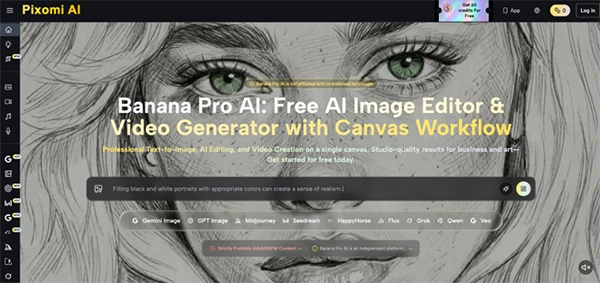
Apart from this struggling part, or aligning everything, teams need to pay a hefty amount as a sum for different tools. This is where apps with a centralized format come in. They help to save time and make processes easy and affordable. For instance, Nano Banana Pro routes text, image, and motion tasks through one centralized interface.
Keep reading to learn how consolidating multimodal AI workflows helps to reduce tool fatigue and subscription overhead.
Depending on a separate software ecosystem comes with many operational drags beyond the regular cost of multiple yearly payments. When teams develop compartments for their workflows, they create rigid data silos where the specifics of a project cannot easily travel from one medium to the next. In short, a brand character developed in a text generation tool cannot be seamlessly transferred into a different image builder without manual manipulation, which somehow changes the base intent.
This dividing force works to constantly recalibrate instructions for every new software interface. A prompt structure that delivers excellent results in an exclusive video generator might produce unusable artifacts when configured blindly for a separate image rendering platform. Consequently, teams spend considerable time testing platform-specific syntax rather than focusing on the actual creative vision.
Furthermore, carry off decentralized assets severely hampers interactions. When visual outputs, text documents, and high-resolution videos are stored in unique web applications, establishing a single source of truth becomes a complicated exercise. Operators must frequently download, rename, and re-upload files to company servers, work out the risk of accidentally deploying outdated versions to live marketing media outlets.
Also, explore best AI image generators for beginners in 2026.
Transitioning away from a scattered toolset includes a systematic evaluation of how assets move through the manufacturing pipeline. Before combining operations, teams must identify exactly where digital handoffs cause the most headaches and lost time.
Map the exact journey a proposal takes from initial text prompt to final multimedia export. Count the times a file must be downloaded to a temporary drive and re-uploaded to a distinctive web application. If a standard post takes more than two platform jumps to combine text, image, and motion, that workflow is a primary choice for centralized integration.
Analyze how often operators must rewrite similar templates for different media formats. If a team member allocates twenty minutes defining a target audience in a textual tool, and then redefines that same context for a visual tool, the process is automatically inefficient. A common workspace should allow core project components to persist across different generation processes.
Examine the technical validity of files produced by inconsistent tools. When mixing static graphics with animated variables, look for problems in color profiles, resolution scaling, and artifact compression. The transition process should emphasize environments where static and motion outputs share a uniform rendering logic, assuring all assets belong to the same visual universe.
The practical application of a consolidated workflow must involve shifting from a logical mindset to a parallel processing approach. Instead of generating all copy before starting graphics, operators should develop all campaign segments simultaneously within the same space. This concurrent development ensures the tone of written material precisely matches the visual atmosphere, as changes can be made to both formats in real time based on instant side-by-side evaluations.
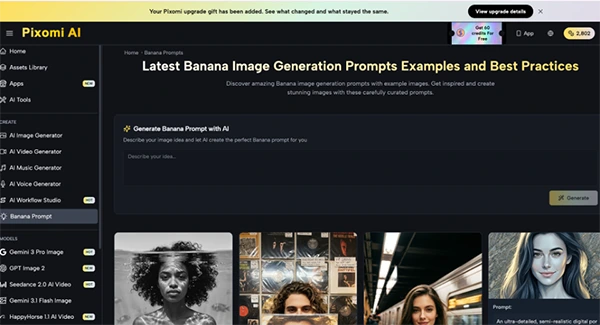
When starting a mixed-media project that features photorealistic visuals and animated segments, operators can utilize Nano Banana Pro to maintain strict stylistic uniformity. The user inputs their specific text instructions and selects their desired foundational generation engines directly within the unified dashboard. The tool produces these multimodal generations simultaneously, allowing the operator to readily evaluate a consistent tone. Users must closely review side-by-side outputs to verify lighting physics, character alignment, and color grading remain perfectly correct before finalizing the batch export.
Operating in this manner demands high concentration during initial prompt execution. Because a single descriptive block drives both text layout and visual presentation, operators must prioritize unambiguous, structured language. Strange adjectives should be replaced with concrete, quantifiable definitions of mood, lighting, and composition to ensure that all generated components work perfectly.
Even within a single administrative platform, running multiple generative models simultaneously can occasionally produce mismatched results. A regular issue is a shift in stylistic interpretation, where the static image points toward photorealism while the video partner adopts an illustrative texture. This occurs when the introductory prompt relies too heavily on technical concepts. To correct this, operators should instantly append specific camera language—such as lens focal length or lighting setups—to force both graphics engines into a shared photographic baseline.
Another common issue involves aspect ratio variations during batch generation. A prompt programmed to yield a vertical asset for mobile browsing might cause composition errors if fed into a motion model specially designed for wide-screen cinematic formats. The upcoming video may display awkward cropping or inconsistent subject stretching. To resolve this formatting clash, operators must explicitly declare preferred aspect ratios and framing parameters for each output stream before it is produced.
Finally, operators must monitor the smoothness of generated text overlays when mixing static and motion assets. If a visual model starts to render typography onto an image while a different motion model manipulates that same text during animation, the campaign loses professional polish. The most effective evaluation step is to isolate text generation from visual generation entirely, ranging clean visual plates that can be cohesively overlaid with typography during final integration.
Also, learn use cases for agentic AI at any company.
In the end, managing multimodal AI tools is a straightforward way to add difficulties and pay extra. Those file transfers, version confusion, and inconsistent results make it really difficult. A more centralized path can help to simplify these workflows by keeping connected tasks and assets within a connected environment.
Consolidation definitely needs clear prompts and careful review of generated outputs. When these practices are managed well, teams can build smoother operations that support quick production without much cost.
Ans: A multimodal AI workflow uses AI to manage various types of content, such as text, images, and video, as part of a unified process.
Ans: It helps to lower costs by removing the need for various platforms and transferring files from one platform to another.
Ans: Using shared project guidelines, clear standards, uniform prompting, and side-by-side review can help to maintain a consistent style.
