Delivery and takeout can put very different demands on a restaurant’s technology compared with dine-in service. Orders need to reach the kitchen correctly, menu changes have to carry across ordering channels, payments need to remain simple, and staff should not have to spend the shift moving information between separate systems.
That is where the differences between restaurant POS platforms become more noticeable. Some are built around consolidating third-party delivery orders. Others focus more heavily on restaurant management, flexible payments, multi-location control, or guest-led ordering.
For this guide, we reviewed five platforms with established restaurant use and compared how they support the day-to-day work behind delivery and takeout.
Rather than comparing providers by the size of their feature lists, we looked at the parts of the system restaurant teams are likely to interact with every day.
That included how orders enter the system, how menus and availability are maintained, what happens once an order reaches the kitchen, how payments are handled, and what level of control operators have when managing more than one location or ordering channel.
We also considered customer feedback, documented restaurant deployments, publicly available case studies, and the extent to which each provider offers tools specifically designed for food service.
The result is a group of platforms that serve different restaurant needs rather than five products trying to solve the same problem in exactly the same way.
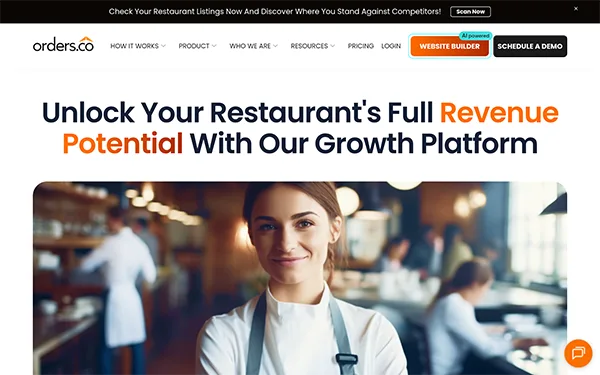
Orders.co is a restaurant POS that brings online ordering, delivery apps, kitchen operations, loyalty, and marketing together in one system. For restaurants where delivery and takeout make up a big part of daily volume, orders, menus, dispatch, and chargebacks are handled in the same system instead of across separate tools.
Onboarding typically takes 2–7 days. After that, restaurants have true 24/7 live support through phone, chat, and ticketing, with Level 1–3 escalation.
Reviews of Orders.co consistently mention easier order management, useful automation, and a straightforward interface. Customers also note the benefit of managing POS transactions, online orders, delivery channels, menus, marketing, and loyalty without several separate systems. Smaller teams find the automated SMS and email campaigns especially useful.
Soft Touch takes a more customized approach to restaurant POS technology. The company has worked in restaurant technology since the 1990s and supports different food service formats, including quick-service restaurants, pizza delivery businesses, and upscale dining.
Rather than positioning the same configuration for every operator, Soft Touch allows restaurant groups to build the system around the type of service they provide.
Different restaurant concepts under one business
Restaurant groups do not always operate identical locations. A delivery-focused pizza restaurant may need a very different workflow from a full-service dining room. Soft Touch can be configured around different restaurant formats rather than forcing every location into the same operating model.
Managing operations across locations
Its multi-location capabilities are designed for businesses that need to oversee several restaurant or hospitality locations from the same technology environment.
Payment choice at the point of sale
The platform supports integrated payment processing along with payment methods such as cards, PayPal, Venmo, and Check 21.
Restaurant-specific customization
Soft Touch’s longer history in food service gives operators access to configurations built around restaurant workflows rather than adapting a general retail system after implementation.
Soft Touch reports more than 8,000 system deployments. Its distribution and support model also includes a SAGE reseller network, providing another implementation channel for restaurant and hospitality businesses.
Feedback published by Soft Touch customers often focuses on responsive support, processing rates, and the ability to adapt the system to specific operating requirements. That flexibility may be particularly relevant to hospitality groups whose locations do not all follow the same service model.
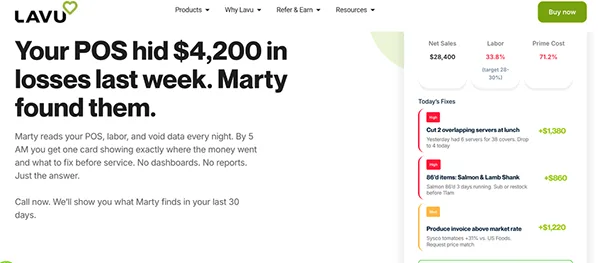
Lavu started with an iPad-based restaurant POS and has developed into a wider restaurant management system covering payments, online ordering, inventory, labor, and reporting.
Its value is less about one individual feature and more about bringing several parts of restaurant management into the same environment.
POS data sitting separately from management data
Lavu combines transactions with information from payments, labor, inventory, and reporting so managers do not have to rely on completely separate systems for each part of the business.
Understanding what happened during a shift
Its Marty analytics product pulls together operational data and provides nightly insights intended to help operators review restaurant performance after service.
Adding takeout and online ordering
Restaurants can manage online ordering for delivery and takeout alongside the wider Lavu POS environment instead of treating digital orders as an unrelated system.
Managing inventory and labor alongside sales
Inventory management and labor scheduling are part of the wider platform, helping restaurant teams connect staffing and stock decisions with actual sales activity.
Lavu says its technology is used in more than 80 countries and has processed more than one billion orders. The
Each POS had to show clear restaurant use, relevant food service features, and enough public evidence to evaluate its performance.
We reviewed company websites, customer feedback, case studies, software directories, and industry mentions. More weight was given to restaurant-specific capabilities such as delivery integrations, online ordering, kitchen workflows, payments, reporting, and multi-location management.
Awards and third-party recognition were considered as supporting signals, but they did not determine inclusion on their own.
Orders.co, Soft Touch, Lavu, Square, and GoTab support different restaurant needs. The right choice depends on where orders come from, how the restaurant operates, and which processes need to stay connected.
Instead of choosing based on the longest feature list, focus on the platform that best fits your existing workflow and future growth.