
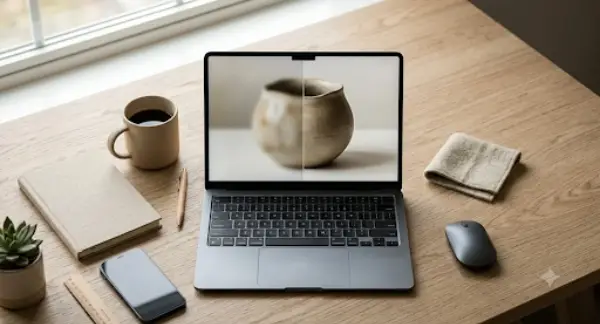
You spent countless hours setting up the lighting for that main shot. Cropped it. Filtered it. Posted it. And it still looks as if an amateur took the picture when viewing it through a customer’s phone screen.
Most online stores are running on images that weren’t really built for the resolution they’re being displayed at. A solid AI image enlarger fixes just that. Enhancing and upscales an image so that it may never appear dull or blurry to anyone.
Let’s take a look at why this matters and how an image upscaler fits into the workflow of many brands across the world.
Conversion rate isn’t just about your checkout flow or your discount code pop-up. It starts way earlier – the instant someone lands on a product grid and their brain decides, subconsciously, whether this store looks legit.
Sharp, high-res images do something weird to perception. They make a $19 phone case feel worth $19. A soft, pixelated version of the exact same photo? Suddenly it feels like a knockoff. Same product. Same price. Different trust signal entirely.
Retailers obsess over ad spend and email sequences, which, fine, those matter too. But they’ll pour thousands into traffic acquisition and then let visitors land on a page with a grainy hero image shot on a mid-range phone three years ago. It’s backwards. You’re paying to bring people to the door and then handing them a blurry brochure.
Here’s where it usually goes wrong. Not one big mistake – a handful of small, dumb ones that stack up.
Store owners upload supplier images straight from a manufacturer’s catalog. Those images are often tiny. Like, genuinely too small for a modern screen. Nobody checks.
Someone on the team resizes an image in Canva or Photoshop using basic interpolation – just stretching pixels – and calls it done. It technically “fits” the space now. It also looks like it was run through a blender.
Mobile is the other blind spot. A photo that looks fine on a 27-inch monitor during editing can fall apart on a retina display where every soft edge gets magnified. Nobody tests on the device their actual customers use.
And honestly? A lot of people just don’t know there’s a fix that doesn’t involve re-shooting everything. So they leave it. Ship it anyway. Move on to the next fire.
Look, re-shooting your whole catalog isn’t realistic for most stores. New photography sessions cost money and time you don’t have this quarter. So skip that step for now.
What actually works: take the images you already have and enlarge them properly, using something smarter than a basic resize function. Not stretching pixels – reconstructing detail using pattern recognition trained specifically for this job.
Before uploading anything to your product pages, run a quick check. Zoom to 100%. Does the fabric texture still look like fabric, or does it turn into a smudge? Do text and logos on packaging stay crisp, or do they dissolve into noise? If it’s the second option in either case, that image needs enlarging before it goes live, not after a customer complains.
This applies doubly to anything going into paid ads. Facebook and Google will happily serve a soft image at full size, and you’ll never know why click-through is mediocre. You’ll just see the number and wonder.
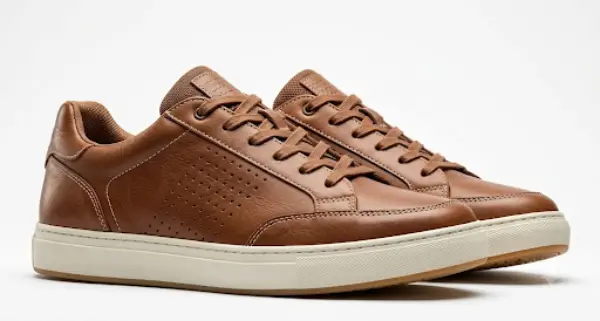
This is where a dedicated tool actually earns its place instead of just being another browser tab you forget about.
Image Upscaler’s AI image enlarger uses a trained neural network – not a stretch-and-hope algorithm – to enlarge photos while keeping edges sharp and textures believable. You drop in a product shot, it processes it, and what comes out actually holds up when zoomed in. For catalog work, that’s the difference between a photo that sells and one that quietly repels.
Worth being upfront here, because I’d be annoyed if someone oversold this to me: it’s not an unlimited free tool. New and registered users get a handful of free credits each month – enough to test a few images and see whether the output quality actually meets your bar before you commit to anything. Larger jobs, batch processing, or the bigger enlargement multipliers (6x, 8x) sit behind a paid plan. Which, honestly, makes sense. Running AI upscaling at scale isn’t free on the backend either.
But for testing the concept on your own product shots? The free tier does the job. Upload a few of your worst offenders – the ones you’ve been embarrassed about since launch – and see the difference for yourself.
Your traffic isn’t the problem. Your ad copy probably isn’t either. Sometimes it really is just the photo – soft, small, forgettable – quietly convincing shoppers to keep scrolling.
Fix the images. Watch what happens to your numbers next month. Won’t cost you a reshoot, and it takes less time than writing the product description did in the first place.
Ans: Image Upscaler’s AI image enlarger uses a trained neural network – not a stretch-and-hope algorithm – to enlarge photos while keeping edges sharp and textures believable.
Ans: No, it doesn’t zoom the image but enhances the quality of the existing image so that the picture becomes clear at higher resolutions.
Ans: People usually upload the images straight from their mobiles or resize their images straight from basic software that does nothing more than stretch the pixels, making it appear all hazy and blurry.
