

Building your first Android app feels exciting until you encounter a roadblock. Your code seems to work fine for a few features, but as you progress, it transforms into a tangled mess. Testing becomes impossible. Adding new features breaks the existing functions. Sound familiar?
This scenario originates from a single mistake that nearly every Android beginner makes. They tend to skip proper architecture planning and put all their code into activities and fragments. Turning the project on its head with no way to contain it.
This article highlights that critical mistake, teaches the proper architecture pattern, and provides practical steps to take afterward.
Key Takeaways
- A God Activity happens when developers treat the Activity class as an all-in-one solution
- Google recommends the Model-View-ViewModel (MVVM) pattern for modern Android development
- Start by creating a clear separation between your UI and business logic from the very first day
- Proper architecture may seem like a lot of extra work initially, but it saves massive amounts of time over the app’s lifetime
Many developers coming from other platforms assume they can apply familiar patterns without modification.
They treat Activities like straightforward controllers and begin to write multiple lines of code in a single file. The problem is that Android’s lifecycle management doesn’t work like the usual desktop or web applications.
Activities and Fragments get destroyed and recreated constantly. Screen rotations, config changes, and memory pressure all lead to lifecycle events that could wipe out your data.
When you’re following a comprehensive Android app development guide here, you’ll quickly notice that proper architecture isn’t optional. It’s essential for survival.
A God Activity happens when developers treat the Activity class as an all-in-one solution. It handles UI updates, manages business logic, processes network requests, handles database operations, and coordinates everything else. This approach creates several problems that compound over time.
First, testing becomes nearly impossible. Unit tests require isolated components, but when everything lives in one massive Activity, you can’t test individual pieces. Integration tests struggle because the Activity depends on the Android framework, making it difficult to run tests quickly.
Second, the code becomes fragile. Change one function, and you risk breaking the other five. The tight coupling between the UI and business logic means that a simple button color alteration might go on to trigger a network request or corrupt your data state.
Third, memory leaks become inevitable. Activities hold references to Views, which keep references to contexts, preventing garbage collection. When business logic resides in Activities, these references stay longer than they should, eating away at device memory until the app just crashes.
Google recommends the Model-View-ViewModel (MVVM) pattern for modern Android development. This pattern separates concerns into three different layers, each with a certain responsibility. The separation ensures that code remains testable, maintainable, and scalable as your app scales.
The Model layer manages data operations and business logic. It communicates with databases, network APIs, and other data sources. The Model doesn’t know anything about the UI or Android framework, making it quite easy to conduct tests and reuse across different parts of your app.
The View layer consists of Activities, Fragments, and Composables that display data to users. Views remain deliberately simple, containing only UI logic. They observe data from the ViewModel and update the screen accordingly, but they never process business logic themselves.
The ViewModel acts as a bridge between the Model and View. It survives configuration changes like screen rotations, holding UI state safely. When the Activity gets destroyed and recreated, the ViewModel persists, maintaining your app’s state without data loss.
Extensive research on mobile architecture has indicated that properly structured mobile applications provide a stable service without additional resources, particularly when dealing with dynamic data changes.

Most beginners follow the path of least resistance. Official Android tutorials usually start with simple examples that put everything in the Activity. These tutorials work fine for “Hello World” apps, but don’t translate well to real applications.
The initial simplicity feels productive. You can see results quickly when everything lives in one file. Opening MainActivity.java gives you access to everything you need. No jumping between files, no complex abstractions, just straightforward procedural code.
But this productivity is an illusion. Within weeks, that simple Activity grows to 500 lines. Then 1,000 lines. Eventually, you’re scrolling through 2,000 lines of spaghetti code, trying to remember which method updates which View and why changing one thing breaks three others.
According to Statista, Google Firebase Analytics is integrated in over 99 percent of Android apps that use analytics SDKs, showing that professional developers rely heavily on proper architecture and data management tools.
Start by creating a clear separation between your UI and business logic from the very first day. Even for small projects, such separation pays dividends quickly. Create a ViewModel for every screen that handles all the logic specific to that screen.
Move data operations into Repository classes. Whether you’re fetching from a network API, reading from a regular database, or accessing shared preferences, the Repository pattern provides a clean abstraction. Your ViewModels call Repository methods without actually knowing where the data comes from.
Use LiveData or StateFlow to expose data from ViewModels to Views. These observable patterns ensure that your UI updates automatically when data changes. They also respect the Android lifecycle, preventing crashes and memory leaks.
For larger applications, consider adding a Domain layer between your ViewModel and Repository. This extra layer consists of use cases that process complex business logic. Each use case represents a single action the user can take, making your code readable and easier to test.
Fun Fact
A foundational architectural rule in Android development is the offline-first approach. Developers must architect apps to display cached data immediately rather than making the user stare at a loading screen during poor network conditions.
If you’re stuck with a God Activity, don’t panic. You can refactor incrementally without rewriting everything. Start by identifying the business logic scattered throughout your Activity. Look for methods that process data, make calculations, or coordinate multiple operations.
Extract this logic into a ViewModel class. Create methods that accept input parameters and return processed results. Replace the direct calls found in your Activity with ViewModel method calls and move instance variables from the Activity to the ViewModel, making sure that state survives configuration changes.
Next, tackle data operations. Find every place where your Activity talks to a database, network API, or file system. Create Repository interfaces that define these operations cleanly. Implement these repositories and inject them into your ViewModel.
Finally, convert your UI updates to observe the ViewModel state. Replace manual View updates with LiveData or StateFlow observers. This ensures that your UI always reflects the current state, even after configuration changes.
Don’t pass Activity or Fragment references to ViewModels. This creates memory leaks and defeats the purpose of architecture separation. If you need Context in a ViewModel, use AndroidViewModel, which provides application context safely.
Avoid putting Android framework dependencies in your business logic. If a class imports android. widget or Android.View packages; it belongs in the UI layer. Keep your Models and business logic pure Kotlin or Java with no Android dependencies.
Don’t share ViewModels across unrelated screens. Each screen should have its own ViewModel that manages only that screen’s state. Sharing ViewModels creates tight coupling and makes it harder to modify screens independently.
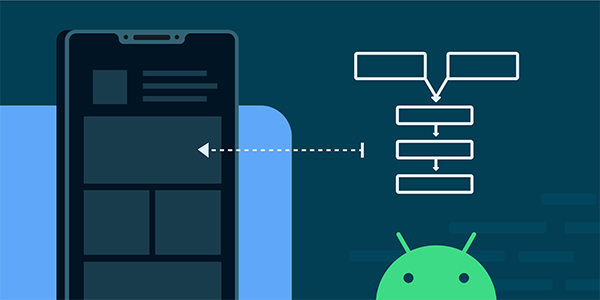
Proper architecture may seem like a lot of extra work initially, but it saves massive amounts of time over the app’s lifetime. Changes become localized instead of searching through the entire codebase.
Adding features just takes a few hours instead of days because you know exactly where the code belongs.
Testing becomes practical and even enjoyable. You can write unit tests for your ViewModels and Repositories without touching the Android framework. These tests run in milliseconds, giving you confidence that your business logic works correctly.
Collaboration improves significantly on team projects. When everyone is on the same page and following identical architectural patterns, developers can navigate each other’s code swiftly. Code reviews focus on the logic and implementation details rather than fighting against existing structural issues.
Most importantly, your app becomes more stable for users. Proper architecture prevents the crashes, freezes, and data loss that plague poorly structured apps. Users notice the difference, even if they don’t understand the technical reasons behind it.
The architecture decision you make at the beginning of your Android project determines everything that follows. Choose the God Activity path, and you’re sentencing yourself to months of frustration. Choose proper architecture, and you’re building on a foundation that supports growth and change.
Begin every new project with MVVM architecture, even the simple ones. The small upfront time investment in structure pays off immediately. Your code stays organized, your tests run smoothly, and it handles Android’s lifecycle gracefully.
Remember that architecture isn’t about following rules for their own sake. It’s about creating maintainable software that you can change and improve over time. The patterns exist because thousands of developers encountered the same problems and found solutions that work.
Making the right architecture choice separates hobbyists from professional Android devs. Don’t be the beginner who ignores architecture until it’s too late. Start building the right way from your first project and watch your development skills soar.
