
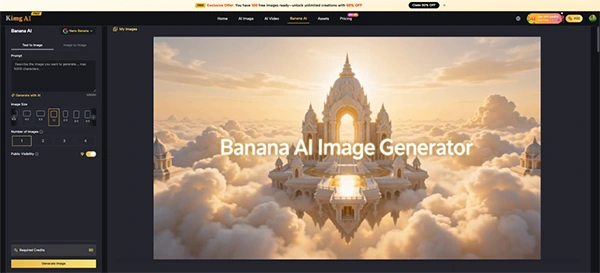
Every AI image model doesn’t really advertise what they are best at. Nano Banana 2 is a case in point. It comprises many features and benefits that users don’t really get to know until they study it in-depth.
The Kimg AI platform helps with that, using the Banana AI lineup that essentially spans three different models, Nano Banana, Nano Banana 2, and Nano Banana Pro, each used for different requirements.
Here’s how you can discover and utilize its hidden features and generate astonishing images using it.
Key Takeaways
- Nano Banana 2 closes the gap by keeping speed and efficiency intact across all its features
- It also lets users adjust the model’s reasoning depth before rendering
- Nano Banana 2’s richer texture rendering responds to instructions like “soft rim lighting” or “overcast natural light.”
- The AI model remains the right call when you need maximum model maturity for highly controlled professional workflows
Nano Banana, Nano Banana 2, and Nano Banana Pro are three distinct models with different strengths. Nano Banana is your reliable, fast entry point. Nano Banana Pro is the ceiling — maximum reference capacity, maximum fidelity.
But Nano Banana 2 is where things get interesting. It closes most of the gap with Pro while keeping speed and efficiency intact.
This isn’t an incremental tweak. These are structural upgrades that change how you work.
In any product lineup, the middle tier tends to get overlooked. The entry model handles casual use. The top-tier model gets the attention. The one in between gets skipped.
The assumption that “middle tier = compromise” is exactly what makes Nano Banana 2 easy to underestimate. The sections below break down what that actually looks like in practice.
These are some of the features that many users don’t notice on their first use
Nano Banana 2 generates natively at resolutions up to 4K — no post-processing needed. Output goes straight to print, billboard, or production. Earlier models required separate upscaling steps that introduced artifacts.
This one flies under the radar. Nano Banana 2 lets users adjust the model’s reasoning depth before rendering. Set it to High or Dynamic for complex, multi-layered prompts, and the output quality improves measurably. Most users never touch this setting — and they’re leaving quality on the table.
Previous Banana AI versions struggled with legible text inside generated images. Nano Banana 2 handles it reliably — posters, product labels, magazine layouts, and multi-language text in a single frame all come out crisp. This alone solves a persistent frustration for marketing and editorial creators.
Nano Banana 2 can pull live web data during generation. Need a real brand logo rendered accurately? A current landmark? A product that didn’t exist in older training data? The model searches and incorporates current information, rather than relying on stale knowledge.
Nano Banana 2 maintains the same face, bone structure, and skin tone across multiple generations. Not approximately the same — actually the same. For sequential content like storyboards, campaigns, or character-driven series, this removes the manual correction step entirely.
Fun Fact
It is capable of inputting real-time data from the internet to create accurate infographics, arranging them in a correctly labeled chart or visual.
On Kimg AI‘s Banana AI page, the Nano Banana 2 model plugs into a workflow designed around practical creative output.
Its features prove to be very advantageous for organizations and individuals alike, who use it for their daily work.
Nano Banana 2 handles campaign-scale output — multiple visual variations, consistent brand characters, accurate product renders — without the coordination overhead of traditional asset production.
Upload a raw product shot. Use the Banana AI Image Maker to place it in a lifestyle setting, swap backgrounds, or match a seasonal visual theme. No photography studio required.
Character consistency across a 10-shot sequence means less time reconciling facial drift between frames. Nano Banana 2 holds identity across scenes.
In-image text rendering makes custom infographics, quote cards, and editorial headers feasible directly from the generator — no additional design layer needed.
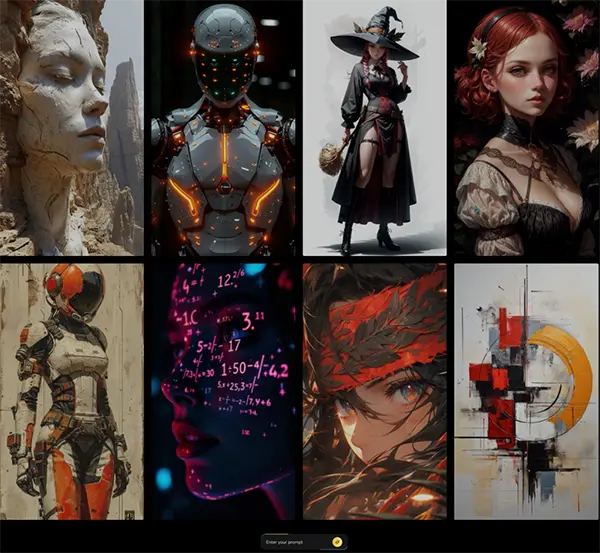
This table compares all the Nano Banana models and the features they offer to their users:
| Feature | Nano Banana | Nano Banana Pro | Nano Banana 2 |
| Max reference images | 4 | 8 | 13 |
| Max output resolution | 4K | 4K | |
| In-image text rendering | Limited | Yes | Yes (improved) |
| Character consistency | Basic | Strong | Multi-character, precise |
| Configurable thinking levels | No | No | Yes |
| Web grounding | No | No | Yes |
Nano Banana Pro remains the right call when you need maximum model maturity for highly controlled professional workflows. But for most use cases — especially at scale — Nano Banana 2 matches the output while adding features Pro doesn’t have.
The model responds well to detailed prompts. Here’s what actually moves the needle:
Nano Banana 2 doesn’t ask you to choose between quality and efficiency. It delivers native 4K output, real-time web grounding, reliable in-image text, and 13 reference image slots — features that either don’t exist in earlier Banana AI versions or require Pro-tier access. On Kimg AI, those capabilities are available in a clean, accessible interface built for both beginners and working professionals. For creators who generate at any real volume, the value is hard to argue with.
