
Even as personal device ownership continues to rise in the world, many people still share devices with family members or even strangers at times. We do this without thinking about how easily sensitive information can be compromised.
Credit card details, particularly, are a huge concern. Even a few saved keystrokes can expose your private details to the world. The effects can be devastating, and this is why we must use the safest credit card available to use and stay cautious while connecting to random networks.
These pointers can help keep your credit card information safe whenever you use a shared platform, wherever you are.
Key Takeaways
- Avoid saving your card information on other devices whenever you can
- Use private/incognito mode, allowing the browser to never store your details or activity on other devices
- Enable dynamic CVV on your credit card to prevent hackers from taking control of your financial details and exploiting them
- Remember to log out of all devices when you are done using your accounts
As a rule, you should not be sharing your phones or computers with others. Understandably, this can be less practical in workplaces or in a household where some members have to share a computer or mobile phone.
Given how e-commerce is linked with almost every part of our lives, it’s not always practical to avoid using shared devices to make purchases and service payments.
Still, you can take some steps to make such situations safer. On devices that are shared, always choose “Never Save” when prompted, and if you’ve already saved the details by accident, delete them immediately from the browser’s settings.
If you want to keep card information saved on a computer or phone, no one else should be allowed to use it unsupervised, not even family members.
Turn on the private browsing option to prevent your activity, passwords, and payment data from being monitored or stored locally. On most of the devices, private browsing modes also get rid of cookies and other data once the window closes.
If you own the device you’re sharing, install a VPN to add another secure layer of protection, especially when connecting to public WiFi networks.
Learning these simple online privacy habits ensures that your personal details don’t remain visible to whoever uses the device after you.
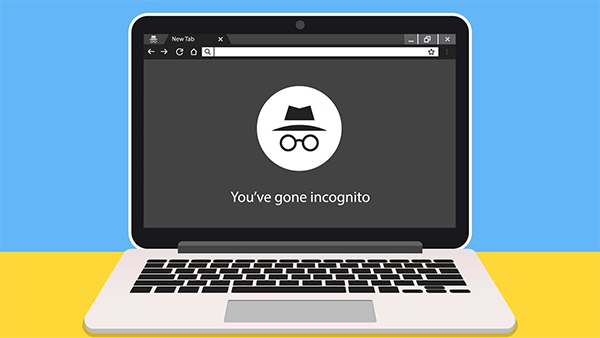
Even when you delete credentials and use private browsing, some browsers may still store fragments of information in cookies or cached files.
When you’ve completed a purchase, take a few seconds to clear all browsing data. If you have recently used a shared computer, make sure to do this every session.
Does your bank or card provider offer a dynamic CVV? If so, make sure to use it. This feature creates a temporary CVV for every transaction, making it harder for hackers or other users to use your card information.
Some providers also offer a digital CVV that isn’t printed on the card itself, helping prevent misuse if someone even gets access to your physical card.
Sometimes, you can’t help but lend your device or share access with others. If this is the case, setting daily spending limits helps reduce losses from unauthorized use.
With some credit cards from digital-first banks, you can even customize limits per transaction type directly in the app so you can set caps without needing to contact a bank representative.
Fun Fact
The last four digits of your card number appear in the signature field or are printed on the receipt, and they should always match the card number to ensure it hasn’t been tampered with.
Instant alerts via notifications or SMS can let you be aware of any fraudulent activity before it has a chance to spread. Some banks automatically send updates whenever a purchase is made, but you would need to first enable this feature.
If you receive a notification you don’t recognize, contact your provider immediately to freeze or replace your card.
A large proportion of unauthorized transactions stems from users staying logged in on devices that others later access. While many sites are set up to log you out when you close your browser, this isn’t always the case. If you ever have to buy from an online store, banking site, or any other place that requires card data, always manually log out after your session.
Even with all these precautions, it’s a good habit to review your recent statements at least once a week through your banking app or portal. Check for unrecognized payments or charges and contact your provider’s customer support if you suspect fraud.
Some digital bank apps also allow you to easily track your card transaction history at any time without waiting for your monthly statement.
Sharing is a part of the culture, but you must draw the line somewhere. If you must draw that line, the devices we save our bank and credit card info on are a good start. For better and for worse, device sharing will continue to be necessary in some contexts, but with the pointers above, you can protect your information and continue to shop online with a credit card like one from Maya with confidence, even on shared devices.
