
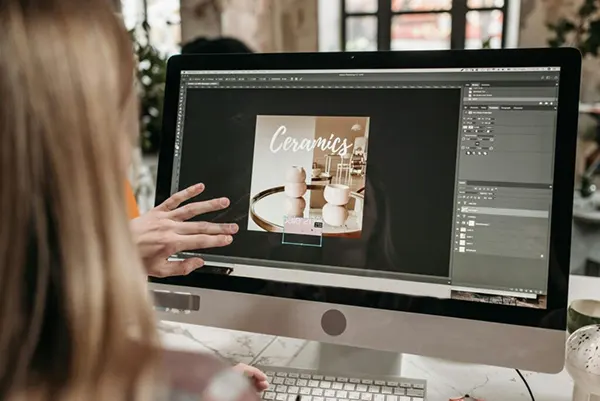
“You never get a second chance to make a first impression.” — Will Rogers (Humorist)
In the content world, that first impression is your thumbnail.
You might spend hours crafting great content, but if your thumbnail doesn’t grab attention, most people will never see it. In a crowded feed where everything competes for attention, that’s the thing that quickly decides whether the viewer will: click… or scroll.
In this guide, you’ll explore 12 proven thumbnail styles top creators are using right now to boost clicks and grow faster. You’ll also see how AI tools can help you design scroll-stopping visuals in minutes, even if design isn’t your strong suit.
KEY TAKEAWAYS
- Thumbnails are your first impressions in the content world.
- Bold text, emotions, before-and-after, question-hook, neon pop, and movie frame are the types of thumbnail styles that are trending.
- AI tools enable you to design one even with minimal design skills.
- Keep testing new styles and improve your thumbnail strategy.
Your thumbnail is your content’s billboard. People can spare only a split second wherein it has to communicate value, spark curiosity, and stand out in a sea of visuals.
YouTube’s research shows that 90% of the most popular videos have custom thumbnails. Those are vital, but they must also match your article’s theme and attract readers.
Also, thumbnails change quickly over time. Those who worked three years ago stopped working two and a half years ago. Creators who stay ahead of these ephemeral trends gain more views and interactions, as their channel grows faster.
Want to keep up with these evolving trends without spending hours on design? An AI thumbnail generator can help you quickly create eye-catching thumbnails that align with current best practices. These tools analyze what’s working now and help you produce thumbnails that capture attention in today’s competitive landscape. An AI Image Enhancer can also help improve their quality and make visuals look sharper and more clickable.
Let’s take a look at the 12 most popular types of thumbnails right now.
This style uses large, high-contrast text to instantly communicate value.
Why ir works: It works as people can see how useful your content is right away, even on smaller devices. Bold, clear letters make your material stand out and make it easy to understand right away.
Tip: Keep your text between three and five words. At thumbnail size, anything longer is difficult to read.
The emotional close-up shows a face that shows real feelings like surprise, excitement, curiosity, or worry. This manner helps people feel like they know one another right away.
Why it works: It works because people naturally respond to facial expressions. People click because they want to discover what made them feel that way.
It’s crucial to be authentic; over-the-top language can look like clickbait and make people lose trust.
This thumbnail splits the picture in half, making it easier to see changes or differences. It’s really helpful for reviews, how-to videos, and videos that teach anything.
The difference in color makes people desire to learn more. Viewers have to click because they want to discover how the change transpired or which option is better.
Simple designs work because they have a lot of empty space, a single focal point, and a small number of colors.
Why it works: Minimalist thumbnails stand out in a busy feed because they let the eye rest. They seem clean and professional, making your company appear better.
Tip: Minimalism doesn’t have to be dull. To catch people’s attention, make bright colors or intriguing photos the main focus.
A thumbnail that visually asks “Why?”, “How?”, or “What if?”
Why it works: Questions make people want to learn more about what they don’t know. They click to learn what they want to know.
Pink, green, and blue neon colors shine out against dark backgrounds.
Why it works: These thumbnails are impossible to miss because they stand out so much. They almost gleam on the screen, which makes people look at them.
Besides the style, there are some other related aspects that you should be considerate about:
The scene of the story is a small picture that shows off a certain scene or moment from your video, like a mini trailer.
Why it works: It builds excitement and sets the stage. It’s more probable that people will click if they can see themselves watching.
You can utilize unconventional angles, layouts, or visual elements, such as upside-down writing or diagonal cropping, to deviate from the conventional thumbnail format.
Why it works: Our brains pay attention to things that don’t fit the pattern. People pay attention to this right away. Just make sure it helps people and doesn’t make things worse.
When you add many small icons, emojis, or symbols around a center image or piece of text, that’s called an icon array. Listicles and how-to tutorials often use this style of layout.
Why it works: Icons instantly show what kinds of things there are and how many there are. People who watch know that they are getting more than one tip or example.
Tip: To keep things orderly, don’t use more than three to five icons.
High-quality, movie-like visuals with dramatic lighting.
Why it works: This design makes you look like a serious creator who puts a lot of effort into your work, which attracts consumers who want high-quality information.
The Clash of Differences is when you put opposite things next to each other, such as bright and dark, old and new, or simple and complex, to make things look tense.
Why it works: The tension makes people want to know more and suggests that your content scrutinizes topics from different points of view or emphasizes differences that weren’t expected. This is an excellent way to compare items or argue.
The Branded Template is a typical thumbnail layout that displays the colors, typefaces, and logo of your movies.
Why it works: People remember your brand better when it is consistent. People can view your thumbnails immediately, which makes them more likely to click on them.
You don’t need to be a designer to create great thumbnails anymore.
AI tools now let you generate high-quality visuals by simply describing what you want.
You just pick a style, colors, words, mood, and even the names of people you look up to. If the first time doesn’t work, change your prompt and try again.
Tip: Make your directions explicit. Instead of “gaming thumbnail,” try “neon green and purple gaming thumbnail with surprised face and bold text that says ‘INSANE WIN.’
Great creators don’t rely on guesswork; they test. Try out diverse ways to see which one your audience enjoys the most.
Check your metrics to find out which thumbnails get the most clicks. What kinds of styles do your viewers like?
Many creators swing between two and three styles to keep things intriguing while remaining consistent. For example, they employ close-ups with emotions for personal stories, bold text overlays for how-to information, and before-and-after splits for makeovers.
Thumbnails might be just decorations. But a great one is pure strategy.
In a world where attention is limited and competition is endless, the right thumbnail can be the difference between getting ignored and getting clicked. Experiment, stay current, and refine what works. Over time, you’ll build a visual style that not only attracts clicks but also builds recognition.
