
YouTube has transcended its original role as a mere video-hosting platform for entertainment purposes. It has developed into an extensive repository of tutorials, lectures, reviews, and interviews that individuals frequently consult for research and educational purposes.
Nevertheless, these videos present a significant limitation: they operate as “dark data.” Although they encompass valuable information, the rapid examination of such content by individuals or search engines remains a challenge.
The ability to quickly skim through videos in the same manner as text or to conduct instantaneous searches for specific keywords is not feasible. Many people still waste time manually correcting auto-captions or typing out quotes because it seems like the only option.
This is where the technology of automated transcription tools steps in to bridge the gap. These tools convert video content from YouTube into searchable, editable text. In this article, we are going to explore some of today’s most trustworthy free YouTube transcript generator tools.
Let’s begin!
Key Takeaways
- Discovering why AI YouTube transcription matters today
- Looking at the criteria for choosing a good transcript generator
- Uncovering the top suggestions of the list
- Understanding 3 crucial ways to repurpose your tools
The availability and rise of free YouTube transcript generator tools in the market did not happen by accident. People now consume information from various videos on the platform differently. So many people are keen on reading summaries, scanning key points, or using transcripts as study guides, which might also apply to you. Others rely on text to make content accessible to viewers with hearing impairments. The benefits extend beyond convenience.
First, transcripts help with comprehension. When you wish to further understand content that is too technical, having written text helps you slow down, review terms, and take notes without constantly pausing.
Second, transcripts make it easier to reuse content. As mentioned earlier, having a transcript opens up the opportunity to reuse or repurpose content. You can turn a video explanation into a blog post, a social media carousel, or a newsletter update. A reliable transcript gives you a foundation for all of these formats.
Last but not least, transcripts make it easier to stay organized. If you want to revisit a specific part of a video you watched a month ago, skimming through text is much faster than searching through the video timeline. Because of this, having access to a reliable free YouTube transcript generator has become more of a practical necessity than just a nice extra.
Intriguing Insights
YouTube’s own automatically generated captions generally have an accuracy of about 60-70%. Third-party AI tools, depending on audio quality, can achieve 92-99% accuracy, with human-based services offering 99%+ accuracy for critical applications.
As we have seen before, reliability is crucial. However, not all free YouTube transcript generator tools are built the same, and choosing the best one can be challenging. To guide your choice and make the process easier, measure platforms against these four pillars:
Based on performance, interface design, and unique feature sets, here are the top 5 free YouTube transcript generator tools available for creators and professionals.
RecCloud is a free YouTube transcript generator that works directly in a browser, so there is no need for installation. You paste the YouTube link, choose your transcription language, and the platform processes the video.
The best about this platform is that it can transcribe outputs for long-form videos such as lectures or commentary-based content. It also supports transcript translation, which can be useful for viewing content in different languages. Because it can handle longer videos, it may be suitable for users who work with hour-long or multilingual material.
Transcripts can be exported in a format suitable for note-taking, editing, or captioning. The workflow is simple and does not require technical expertise. The only drawback is that it only supports one text-based format (SRT).
Best For: Users who want a fast, accurate, browser-based solution without the need for heavy software installation.
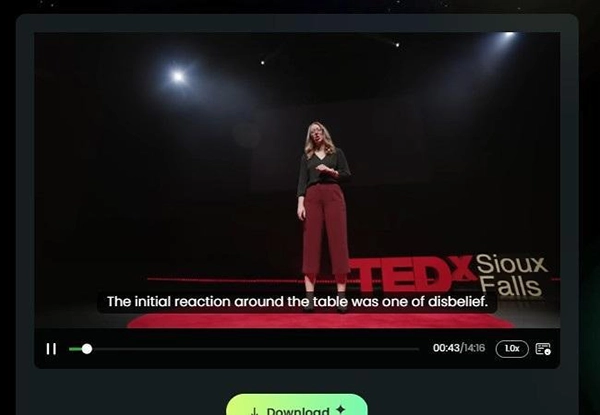
Maestra is designed for creators who want control over subtitles and transcripts before publishing. This online program supports over 100 languages and includes a built-in editor where you can adjust text, timing, or punctuation. This can be useful if you need subtitle accuracy for public videos rather than personal reference.
The editor allows you to refine line breaks or correct timing inconsistencies. For workflows that involve publishing captions on a channel or website, Maestra provides tools for editing subtitles directly. However, it can’t distinguish who is speaking in the video or label them in the generated transcript.
Best For: Creators who want to generate transcripts and edit subtitles before publishing.
Krisp is a simple, web-based tool designed for users who want a quick, straightforward transcript. You paste a YouTube video link, and the tool generates a text version of the video. It also allows you to copy the transcript and paste it into other applications that support text.
The tool is a perfect solution for short- to medium-length videos and allows basic editing of the transcription output. Its clear interface makes it suitable for students, casual viewers, or anyone who needs a transcript quickly without complicated steps. Export options are limited to a single TXT format, which can be used for note-taking or simple reference.
Best For: Users who need a quick, simple transcript without extra features.
This one focuses on users who need flexibility in both transcription and output formats. It can extract existing captions or generate a transcript using AI when none are available. The interface keeps the workflow clean, allowing you to quickly access readable text.
A key advantage of this transcript generator tool is that it lets users export in multiple formats, such as TXT, PDF, SRT, or DOCX. This makes a practical approach for users who want to repurpose content in their preferred formats. Multi-language support is also included, which is helpful if you are trying to extract transcripts from foreign-language videos.
The platform is designed for straightforward use, though very long videos or heavy accents may require manual adjustments.
Best For: Students, researchers, or professionals who need multi-format transcripts for study or analysis.
Kome is a web-based AI transcript generator aimed at creators and researchers who need an instant transcript output. You paste the YouTube link, and the tool produces a transcript within moments.
Kome supports over 120 languages, which is suitable for users who watch international content. The free version is straightforward; once the transcript is produced, you can copy it immediately and paste it anywhere you want. Even though the free version is simple, you might still want a tool that gives you more flexibility to tweak or customize your transcript.
Best For: Creators or researchers who need fast transcripts.
Let’s be honest: how many times have you downloaded a file, saved it to your desktop, and then never opened it again? Even the experts in this field face these problems. But if you use a free YouTube transcript generator only to let that text gather digital dust in your downloads folder, you are leaving money (and time) on the table.
A raw transcript isn’t just a file; it’s a rough draft for three or four other pieces of content. You have already done the hard work of recording the video or finding the research. Now, you just need to remold that clay. Here is how you can squeeze every drop of value out of that text.
Search engines can’t watch videos, but they love text.
You don’t need to write social posts from scratch.
If you watch educational content, relying on YouTube’s “Watch Later” playlist is inefficient.
Video is a goldmine of information, but without a text version, much of that value remains locked away in the timeline. The free YouTube transcript generator tools explored above prove that you no longer need to choose between watching a lecture and having accessible notes.
Whether you need the detailed editing capabilities of Maestra or the instant speed of Kome, the right tool can turn a passive viewing experience into an active asset for your work or studies.
By integrating AI transcription into your daily routine, you aren’t just saving hours of manual typing; you are fundamentally changing how you consume media. The barrier between video and text has finally closed. Now, the only question left is what you will create with all that unlocked data.
Ans: It makes summaries always easy to read and digest, which helps users understand.
Ans: YouTube automatic captions typically provide about 60-70% accuracy.
Ans: It is mostly checked by manual evaluation.
