
Some AI-generated content doesn’t let you scroll up before liking, while the majority slop just makes you wince.
Don’t know, it just doesn’t feel natural.
And you’re not the only one bestowed with this power. As per Business Wire, 83% people can identify AI videos.
The image-to-animation AI has improved things with:
But, many times, you can end up with that “uncanny valley” look:
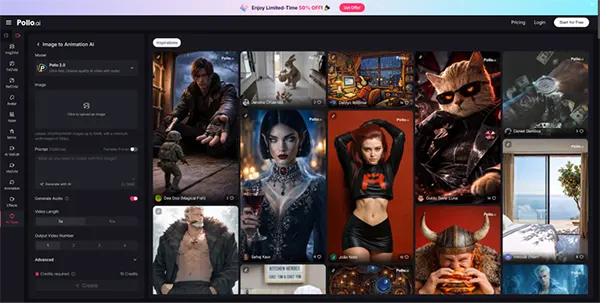
People assume it’s the tool. But many of the times, it’s their approach. A dedicated solution like Pollo AI animate a picture tool can simplify the process considerably, but even the best tool will produce awkward output if the underlying method is not right.
In this guide, I’ll give you five tips on how to use an image-to-animation AI tool and get natural, believable results.
KEY TAKEAWAYS
- Straight-up using image-to-video tools can leave you with results having that “uncanny valley” look.
- Following some tips while using these AI tools can yield natural results.
- First, fix the source image, then describe subtle motion in prompts.
- Use tools that come with editing options and keep in mind the platform you’re targeting your content towards.
The best way to not get disappointing results is to keep your expectations in check. You might crave more impressive movement, but that can also raise the chances of the result coming out looking artificial.
A still image contains only a single frame of visual information. When an AI model tries to infer realistic physics-based motion from that one frame, the task gets exponentially harder the more dramatic the requested movement is. A slight 10-degree natural tilt is easier for the AI model compared to a 90-degree head turn, which requires it to invent significant convincing data that wasn’t even there in the source image.
The animations that tend to look most believable focus on:
Think of it this way: if you saw this motion on a real-person video, would you notice the movement itself, or just the subject? Good animation should make you look at the subject, not the motion.
PRO TIP
Use high-quality, high-resolution source images to generate short (3-5 seconds) clips.
Bad beginnings never beget good end results. If your reference still is deformed, your animation would certainly come out crooked:
This is one of the most commonly skipped steps, and it causes more failed animations than any other mistake. Before you animate, take a hard look at your source image and correct:
People struggled to describe the visual style when AI image tools first came out. The same situation is now with AI video tools and motion description in prompts.
“Cinematic portrait with warm lighting and shallow depth of field” describes an aesthetic. “Gentle smile, slow natural head tilt, soft hair movement” describes action. For animation, you need the second kind.
Many users enter style-first prompts because that is what they learned from text-to-image generation. But animation models respond to motion language — specific, believable, physically grounded descriptions of how something moves.
Useful motion prompt language:
The more specific and physically plausible the motion description, the more likely the model is to produce output that actually matches it — and the less likely you are to get uncanny physics errors or implausible face shifts.
You got close to generating somewhat good animation with a tool, but it’s frustrating when it doesn’t have any editing options:
All you can do is regenerate from scratch and hope.
Editing controllability after generation is what separates genuinely useful animation tools from impressive demos. When evaluating any tool for photo animation, look specifically for:
None of these is an exotic feature. They are basics — and many animation tools still do not offer all of them.
You can’t simply use the same animation that you generated with quite an effort on all of the platforms. A five-second memorial clip for a Facebook post has completely different requirements than a looping product teaser for Instagram Stories or a portrait animation for TikTok.
Before you start an animation, define:
Testing a short export before committing to a final version costs almost nothing and catches most platform-fit problems early.
For natural-looking animation, you don’t need to get through a complicated training; some discipline along the way would suffice:
The goal is not to impress people with AI — it is to make them feel something believable.
Creators who get the best results from photo animation usually share one common habit: they slow down at the beginning of the workflow (fixing the source image, writing a precise motion prompt, setting a clear platform goal) so they do not have to spend extra time at the end regenerating failed clips. The best still-to-motion tools make this approach intuitive rather than technical.
